
Play Free Online Food Business Video Games for Kids
Free Online Farming, Restaurant & Grocery Store Sim Video Games for Kids

Learn Through Play
The goal of this section of our site is to make learning fun, helping children explore and better understand the world around them through interactive play. None of the games on our sites carry any advertisements.
We offer hundreds of different educational, fun, free and ad-free online video games for kids, teaching invaluable lessons about money, debt, business, and the economy. This is the food business and food games category, which includes things like farming, grocery store, and restaurant sim games. Browse across the following food game categories to find the games the best fit your needs. We also offer many other core game categories: money games, real estate games, business games, environmental games, math games, driving games, platformer games, and other fun games.
- Food Games: run businesses built around the distribution or serving of food.

Your Feedback Needed
Do you have an idea for an educational concept you want covered in a game? You can send us a message & we will create a custom game if we like your idea. You'll be the first player and tester when it is ready for beta launch. :)
Food Business Games
Operate farms, build and stock grocery stores, and run a variety of restaurant businesses.

Farming Simulation Games
Farm Town
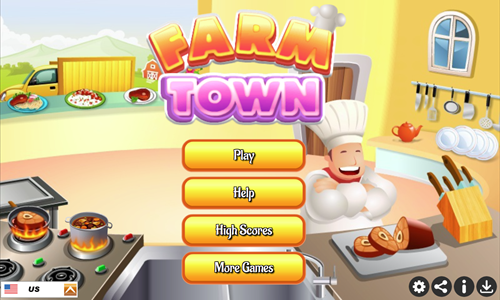
Farm Town is a clicker farming & food processing simulation game with 40 stages.
- Plant seeds, harvest crops, and raise animals.
- Sell your production to the town market.
- Use your funds to buy more seeds, purchase commercial culinary equipment, and research new food production techniques.
- Take your raw commodities and run them through your kitchen to turn them into intermediate and finished goods.
- Each level has a unique goal which can range from cash earned to creating some quantity of certain food items. Reach the level goal on each stage to unlock the next.
- Increase your truck and refridgerator size to increase your throughput.
Idle Food Empire Inc
Idle Food Empire Inc is a vertical farming idle clicker.
- Press the golden play button on the welcome screen to start the game.
- Press the button to unlock the first floor.
- Tap on workers to manually activate them, then hire managers to automate tasks.
- Repeatedly upgrade the workers on each floor, and upgrade their managers. Manager upgrades require a minimum floor level to upgrade. Floor levels can be upgraded 1 rank at a time, 10 ranks, 50 ranks, or maximum you can afford with your current cash on hand.
- Upgrade the warehouse and elevator systems and managers.
- Unlock 9 different floors. The first 3 floors are vegetables: lettuce, carrot, and tomato. The next 3 floors are fruits: watermelon, grape, and strawberry. The final 3 floors are herbs: ginseng, lavender, and mint.
- Investors will eventually approach offering to acquire the business. Should you choose to sell the business you start the game over again with an earning bonus. You can repeatedly restart the game in this way, with each subsequent play going faster due to a higher earning bonus.
Idle Farming Business
Idle Farming Business is a farmer game where you plant and harvest different crops.
- Harvest potatoes in the first plot.
- Use your profits from potatoes to plant and harvest 8 other kinds of vegetables: carrots, wheat, tomatoes, cucumbers, peppers, turnips, onions, and corn.
- Scroll over each plot periodically to collect its earnings so you can keep reinvesting in improving your farm.
- For each type of vegetable buy upgrades to lower your production time, stack earnings, and increase profits.
- Dig each area to improve the soil so you can plant more vegetables, which increaes your yield. When you plant 25, 50, or 100 in a plot the production time cuts in half.
- Select the rain cloud to double your harvest rate & select the sun to have it shine for quicker production.
Farm Factory
Farm Factory is an idle clicker farming game where you add livestock to a farm and upgrade the farm to earn as much as you can in 5 minutes.
- Spend your initial savings adding more chickens to the farm.
- Click on the chickens to increase their production speed.
- When a truck comes click on it to increase its loading speed.
- Add cows and sheep to your farm, and click on them just like chickens. As chickens disappear from your farm you can add more.
- Upgrade the farm's capacity by upgrading the farm's shipping center.
- Time your upgrade cycle so you do not upgrade late in the game and have as much cash savings as possible when the 5 minute timer reaches zero.
Idle Egg Farmer
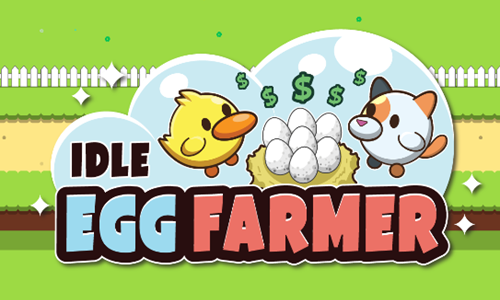
Idle Egg Farmer is an idle clicker farming game where you add up to 8 different types of animals to your farm.
- Press the red play button in the center of the screen to start.
- Click on the egg to hatch an animal.
- Press on the level number of the animal pen to upgrade it. Each pen can be upgraded through 30 levels. After reaching level 30 the pen can be reset, granting a star. Repeat the process three times and on the fourth upgrade cycle it will be the final cycle for that pen.
- Tap on an egg to hatch it and repeat the process until each animal pen is at capacity.
- Upgrade the farm egg processing plant to increase your profits, processing speed, and carrying capacity.
- Tap in the upper right corner to increase your game level, which will enable you to access new pens as you level up. This game features duck, bunny, pig, cat, bear, raccoon, parrot, and beaver pens.
- Tap on gold eggs which appear periodically for bonus income.
- Icons also appear in the upper left and upper right corners of the screen. Tapping on them increase your farm speed and income.
Farm Island
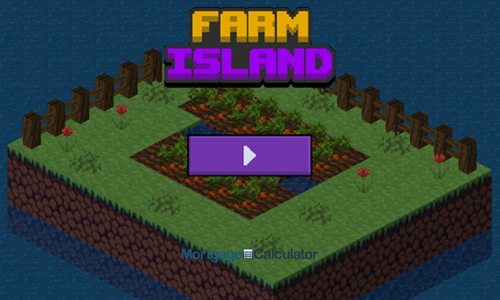
Farm Island is a 25-stage spatial puzzle game where players lay seeds.
- Press the purple and white button on the welcome screen to bring up the level select screen.
- Levels are unlocked sequentially with the unlocked levels appearing in white text. Select an unlocked level to play.
- Put your mouse cursor over a vegetable and drag the box across the ground to plant the seeds.
- Repeat the process until all seeds have been planted.
- Each box has a number atop it indicating how many more seeds are left.
- When laying seeds you can not cross over other seeds, though you can turn an unlimited number of times.
- When all the boxes show a green zero at the top the level is beat and you can progress to the next stage.
Jungle Mart
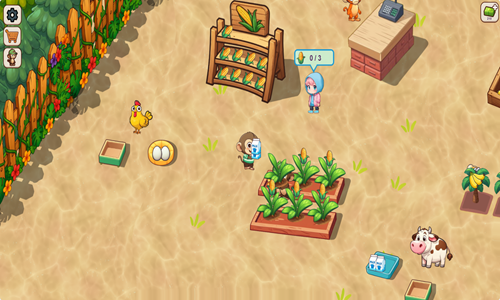
Jungle Mart is an idle clicker farming game where you move a monkey around the world to create a thriving agrarian economy.
- Press the WASD keys or tap and hold the mouse left click on the screen to move the monkey toward an area.
- Stand over markers with cash amounts on them to spend money to build part of your farm economy.
- Harvest bananas, corn, and other goods to make money.
- Some goods you harvest can be used to create additional goods. For example, corn can be fed to a chicken to create eggs or fed to a cow to create milk. Corn can also be microwaved to create popcorn.
- Banana milkshakes require both bananas and milk.
- Periodically go to the cash register to collect earnings to invest into growing your farm.
- Use your income generated to unlock new parts of the farm and to upgrade your main character and other characters on the farm.
- Keep moving around the stage serving customers and unlocking new features. You can also upgrade individual characters on your farm using the menu buttons in the upper left.
- Manage storage volumes, wake sleeping animals, and fix broken machines at the repair station to keep everything going.
Tractor Mania
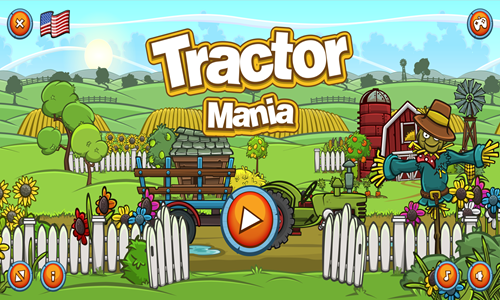
Tractor Mania is a 180-stage tractor driving game where you pick up produce and deliver it to its destination.
- Wait until the produce is fully loaded before starting your trip.
- Drive across the stage while controlling your tractor speed and angle to minimize how much produce is lost along your journey.
- Slow down before going over bridges & be cautious with your speed any time there is a major change in the road grade.
- Use the income earned from each stage to upgrade your tractor attributes, or to unlock better tractors and trailers.
- You can upgrade the engine, gearbox, tires, boost, and fuel on each tractor.
- There are 3 different trailers for sale & tree higher-quality tractors you can buy.
- When you beat a level you can't go back and replay it, so make sure you drive with caution.
Hencoop
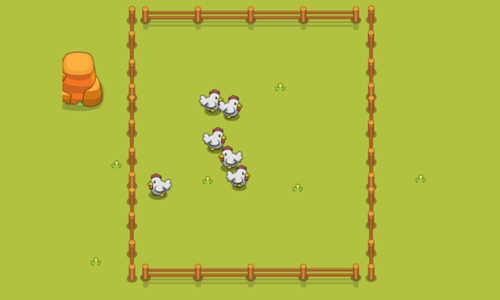
Hencoop is an idle clicker game featuring the chicken and the egg.
- Tap anywhere on the game welcome screen to start the game.
- Tap on hens to get them to lay eggs quicker.
- Tap on eggs to collect them.
- Tap on the shed at the bottom to have any stored carts set back in motion.
- Initially you have to manually retreive each egg, but eventually you can hire automated egg grabbers and get the cart movements automated.
- Select the UPGRADE menu at the bottom center of the screen to unlock additional items or purchase upgrades to your existing chickens, egg grabbers, transportation carts, and trucks.
- Four header tabs sit atop the upgrades menu to allow you to switch between chickens, egg grabbers, transportation carts, and trucks.
- You can have up to 6 of each item type, with each character leveled up to a maximum of level 4.

Grocery Store Games
In the above money games section we have some cash register practice games where players make change. We also offer a number of other grocery store games in our collection.
Idle Hypermarket Empire
Idle Hypermarket Empire is a grocery store simulation game where you manage a vertically oriented hypermarket.
- Select workers to get them to stock the store.
- Hire managers to automate your workflow.
- Train and upgrade the regular workers to add more staff and make them more productive, then train managers to further boost productivity.
- Use the cash earned from your operations to unlock additional floors.
- Upgrade your elevator and cash counter office to grow your throughput capacity as you unlock additional floors and increase your earnings.
- The hypermarket has 9 floors: fruit and vegetables, meats, groceries, food court, furniture, electronics, apparel, jewelry, and cosmetics.
- After growing your business for a period of time you have the opportunity to sell it to an investor through an IPO process & then start the game again with higher earnings on your subsequent business.
Tap Supermarket
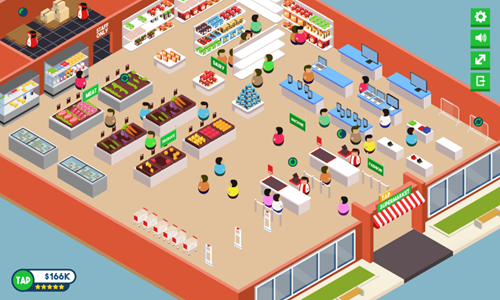
Tap Supermarket is a grocery store simulation game where you manage stocking a grocery store, check out customers, and use profits to expand your product line.
- When displays are empty click on the green circle on them to restock them.
- When the shipping pallets in the stock room to the upper left are empty click on the green circles to restock them.
- Check out customers who are standing in the checkout line by clicking on the checkout line. If there are multiple customers standing in line you need to repeatedly click on the checkout to ring up all the customers.
- Use your in game earnings to purchase new display racks to expand your store inventory.
- You can also use your experience to purchase unlocks on a second chekcout lane and a third grocery stocker.
Hippo Supermarket
Hippo Supermarket is a cute, playful, and fun grocery store simulator game.
- Click anywhere on the game loading screen to play the comic introducing Jack Ma.
- The game has a variety of features. The majority of the game consists of merging items together to create higher valued items. As you level up a larger share of the grid to merge items becomes available for use.
- As you merge items together you gain stars which can help you level up. Your current level number and your progress is shown in the upper left corner of the game.
- Some items which are merged together can be redeemed for coins.
- When the build icon in the upper left is shaking tap on it to use coins around the grocery store to unlock other displays and store features.
- As you unlock new parts of the grocery store you earn stars to level up.
- At the bottom of the merging screen there are buttons for shopping to buy items, storing items in your backpack, customer order list, and returning to the store.
- While you are in the main store area you can select items to spend coins to unlock them or press the green button to return to the merging game. Along the sides there are other mini-games and bonuses. When you have available rewards or features in the mini-games they show red dots in the upper right of the icons.

Restaurant Simulation Games
Coffee Shop
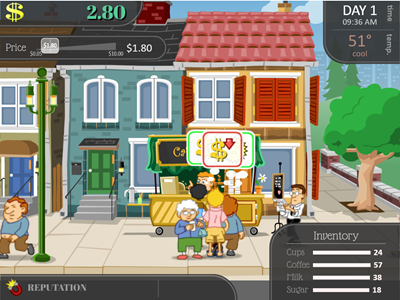
Coffee Shop is a one-month simulation game where players adjust game settings to earn as much as they can from running a coffee shop.
Players of this game manage their inventory, budget their cashflow, set pricing, adjust their coffee formula, and plan to maximize day to day earnings in part by adjusting their business based on the weather. In this game the demand for coffee goes up in cold weather and the demand for coffee goes down in warm weather.
This game teaches children many important aspects of running a business, including:
- Inventory: You can buy ingredients in bulk to save, but some ingredients also spoil. In this game you have to manage your coffee, milk, sugar and cup levels.
- Strategy: You get to set your coffee formula to manage your ingredient usage and blended cost per cup.
- Pricing: You can maximize your profits by adjusting pricing up or down to either boost sales volume or sell ingredients which may spoil at below cost in order to sell them before they spoil.
- Predicting Demand: Weather is a great indicator for shifts in consumer demand in this game. The shifts in consumer demand apply both to total demand volume and propensity to pay premium prices.
- Reading Consumer Feedback: Many consumers in this game offer price bubbles which indicate if they are happy and what they feel is wrong if they are not.
The one aspect of this game which is not ideal is it does not teach the importance of consistency in building a sustained consumer following for a business, but the above features require significant day to day variation in order ot make the game fun and interactive.
Pizza Cafe
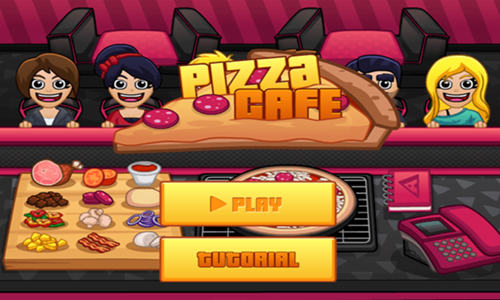
Pizza Cafe is a restaurant simulation game where you must quickly serve each diner the exact pizza they requested.
- Look at the thought bubble above each customer to see what type of pizza they want.
- Lay down the crust, sauce, cheese, and any ohter ingredients needed to complete the pizza.
- Once all ingredients have been placed select the pizza again to cook it and send it on the conveyor belt.
- Serve customers before their patience runs out. The pizza starts at the left end of the conveyor belt and moves right. The first customer who matches it exactly will take it, if you want to bypass a customer on the left to serve one further right you can grab the plate the pizza is on and drag it right toward the correct customer.
- If your ingredients run out you can select the phone to order more.
- If you are unsure what ingredients are on a pizza, all have dough + tomato sauce + cheese & you can select the menu above the phone to see what other ingredients are needed.
- Across the top of the screen the game shows level number, cash, level timer, pause & sound control buttons, happy customers served, and customers who left angry.
Serve The Pizza
Serve The Pizza is a simple pizza serving game.
- Tap on the play button in the lower center of the welcome screen to start the game.
- Look at the thought bubbles of approaching customers.
- Use your mouse to select a pizza they request and drag it toward the serving space in front of the customer.
- Repeatedly serve pizzas one at a time until you have served all the pizzas a customer wants.
- Serve customers quickly to earn a big tip. Tap on the tip to collect it.
- Customers have a short patience, so serve them quickly or they will leave.
- Each day has a set number of customers. You get a pause at the end of each day.
- The game ends when you fail to serve 3 customers on time in a day.
Pizza Baker
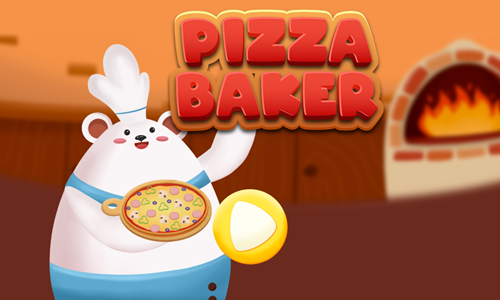
Pizza Baker is a pizza making game where you hand craft custom pizzas.
- Look at the order bubble in the upper left to see what kind of pizza each customer wants.
- Select the correct crust type.
- Pour the right kind of sause on the pizza.
- Select each additional type of toping you need to add to complete the pizza.
- When the pizza is completed select the polar bear baker to have them bake the pizza.
- If you make a mistake you can drag the pizza to the trash icon at the bottom & make another pizza.
- Each pizza you correctly complete earns income.
- Pizzas must be completed correctly and cooked before the timer reaches zero or you lose a life. Lose 3 lives and it is game over.
Cooking Mania
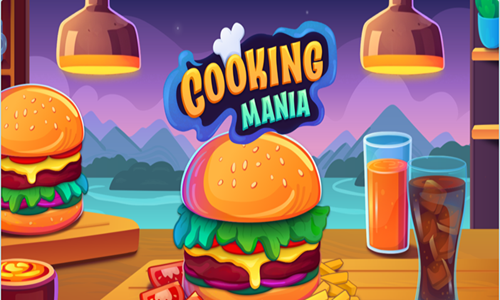
Cooking Mania is a lunch truck restaurant sim game.
- Look at the customer's thought bubble to see what they want.
- Grab the bun, cook the burger and move it to the bun before it overcooks, then add cheese if required.
- Tap on the finished burger to serve it to the customer. Serve the customer any drinks they request to complete their meals.
- Each customer has a frustration meter. If you do not serve them in time they will go away.
- Earn up to a 3-star rating on each stage by serving customers quickly.
- Do not let many customers leave unhappy or you will earn a low rating and may potentially fail reaching the daily quota.
- Use the income each day to upgrade your equipment - unlocking more ranges, holding postions, serving plates, and fountain drink slots.
- As you advance through the game you unlock additional restaurants where you can move on from serving burgers to instead serve fish or steaks.
Burger Shop
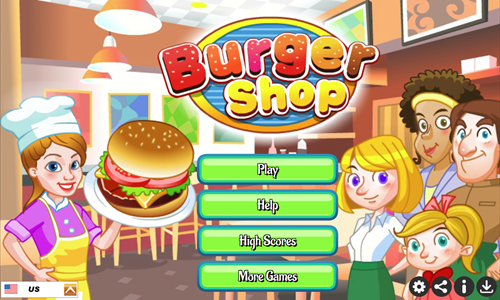
Burger Shop is a timed 10-stage burger restaurant simulation game where players must serve the customer's order precisely.
- Look at the customer's thought bubble to see what they want.
- Start each customer order by grabbing a tray.
- Build their burger from the bottom up. The meat comes pre-cooked. Grab a bun, and then construct the burger from the bottom ingredient to the top ingredient.
- Select the tray to serve the customer.
- As you advance through the game you unlock additional toppings (including cucumber, lettuce, and tomato), sausages, sides (fries & donuts), and drinks.
- Collect the customer's payment near the cashier to complete their order.
- Select the coins near out of stock inventory to buy more goods.
- Reach the daily production goal to move on to the next level.
Burger Stacker
Burger Stacker is a sandwich stacking game where you earn income for each sandwich correctly completed.
- Press the green and white play button in the center of the screen to start the game.
- While holding in your mouse left click button move the mouse from side to side as needed.
- Center the plate under the bottom bun, then look at the next required ingredient and move the plate around to collect ingredients in order until you catch the top bun to complete the sandwich.
- You can miss ingredients and keep playing until it comes again, but the game ends whenever you collect an incorrect ingredient.
- As you play the game grows more challenging with faster falling ingredients and more ingredient types.
- Finish sandwiches quickly to earn a big tip.
- See how much you can earn before making a mistake.
Chocolate Shop
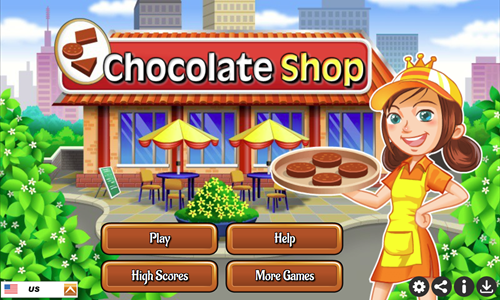
Chocolate Shop is a timed 10-stage confectionary store simulation game where players show customers the order options and deliver them promptly so the customer leaves satisfied.
- Bring a menu to each customer. Once they have decided what they want a thought bubble will show their order, along with how much patience they have to wait for you to deliver it.
- Go to the appropriate machine to make the type of chocolate or other food they wish to purchase.
- Bring them their order.
- Periodically you will slow down. As that happens a thought bubble shows you could speed up by having a coffee.
- Collect the customer's payment to complete the transaction.
- Reach your daily transaction goal before the timer runs out to beat the stage.
- Customers also phone in orders, though the phone doesn't show the patience indicator which other customers display.
- As you advance through the game your range of products increases & you have to wrap some of the chocolates in gift packaging.
- For machines that only create one product you can leave a product pre-made so it is ready. For machines which can make 2 products at the same time you can premake one option so it is ready. You can carry 2 items at a time.
Cooking Fever
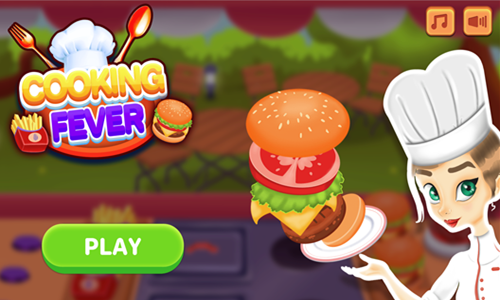
Cooking Fever is a 50-stage burger lunch cart sim game where players serve cheeseburgers, fries, and drinks to hungry customers.
- Serve customers what they request in their thought bubbles.
- Serve customers quickly to manage many orders in a limited amount of time.
- You can prepare hamburgers, buns, and fries in advance so that when a customer orders you already have it ready.
- Each stage has a goal at the start, like earning a certain amount of income, serving a certain number of customers, or earning so much in tips.
- Achieve the daily goal, or replay the level until you beat it.
- You can replay previously beat levels & the income you earn can be used to purchase better ingredients, unlock more ranges, add more serving plates, and serve customers quicker.
Cooking Street
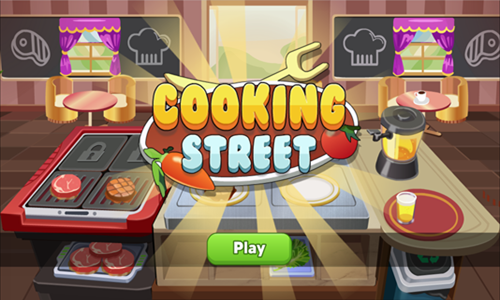
Cooking Street is a 150-stage steak restaurant simulation game where you serve customers steaks, sides, and drinks. Levels are unlocked sequentially, but you can replay any completed level at any time.
- Serve customers what they request in their thought bubbles.
- Serve customers quickly to manage many orders in a limited amount of time.
- As you progress through the game the income you earn can be used to unlock more ranges, more plates, more cups, and better ingredient cuts so that you can process orders more quickly & earn more for each customer served.
- After upgrading your ingredients and equipment you can go back and replay prior levels to try to earn up to a 3-star rating on each stage.
- To keep up with customer demand try to have at least one cooked steak and one juice cup ready at all times. As you unlock upgrades and have more placement positions to serve from you can have multiple of each ready and waiting.
- Win or lose you can replay levels as many times as you like, and you still earn income and experience from a level even if you do not earn enough income to obtain a star rating.
Hotdog Cart
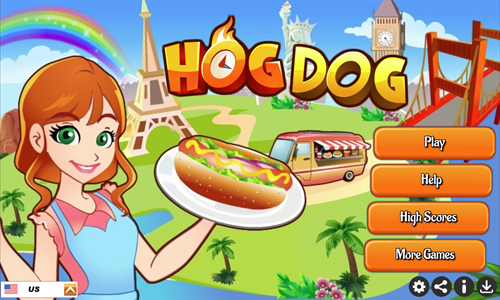
Hotdog Cart is an 80-stage food serving time management game.
- Look at the thought bubble above the head of each customer to find out what food and drinks they want, along with how much time you have remaining to serve their order.
- Complete their main, sides, and drink to leave them satisfied before their patience timer runs out.
- Cook the burger on the grill and pull it off after it is cooked, but before it is burned.
- When assembling a burger you must set the bun down first, but can grab the other parts in any order. Condiments can be tough to place on burgers, so try to do it early.
- In between customers you can prepare some basic burgers in advance by placing the buns and cooked burgers on plates.
- As you advance through the game you unlock additional foods. Some ingredients like onions can be used both as onions on a burger and to create onion rings by throwing them in the deep frier.
- You can have many customers leave angry without their orders completed and still advance through the game. If you fall behind on serving customers consider pre-making some of the foods (e.g. basic burger on bun, onion rings, coffee) and then plan to serve the customers who arrived most recently.
- The game gets harder multiple different ways. Not only are there more ingredients to choose from, but it can be hard to see all of them in the thought bubble of the customer when they have a complex order.
Ice Cream Bar
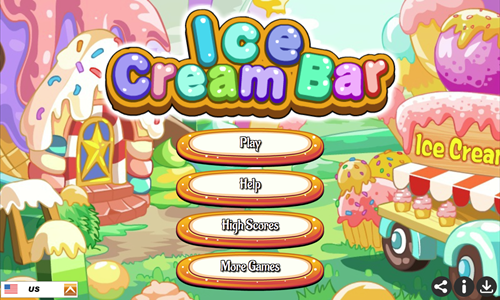
Ice Cream Bar is an ice cream store simulation game where you must swiftly serve customers the ice cream they want in the correct order.
- Look at the thought bubble above customers to see what they ordered and how much time you have left to serve them.
- Select a cup or cone, then build their ice cream treat in the exact order they requested from the bottom ingredient upward.
- Tap on the finished product to serve it.
- If you make a mistake you can tap on the trash can in the lower left of the game.
- Unlike our other similar sim games you do not need to collect customer payments in this game.
- If you run out of an ingredient click on the coins where it was to restock the item.
- Reach the level goal for customers served before the timer runs out & play through all 20 stages.
Open Restaurant
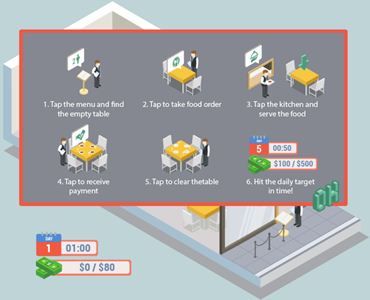
In Open Restaurant you try to reach a daily earnings goal for the restaurant. You play as the head waiter (or Maître d'hôtel) and must Invite guests to be seated, take their orders, serve their food, give them their bill & clear off the table for the next guests.
This game has a beautiful isometric design.
- Each day of the game lasts 1 minute.
- Your earnings from prior days carry over to the next.
- After you get about a week in the difficulty of the game ramps up significantly.
- It is important to balance all aspects of serving customers to keep cashflow going.
Be sure not to seat a group of 1 or 2 at a table for 4 or you won't be able to seat other guests at that table. Guests must be seated in the order they waited in line, so if you have no open tables for 4 and a group of 4 at the head of the line you won't be able to seat any guests until one of the large tables is cleared off.
Penguin Cafe
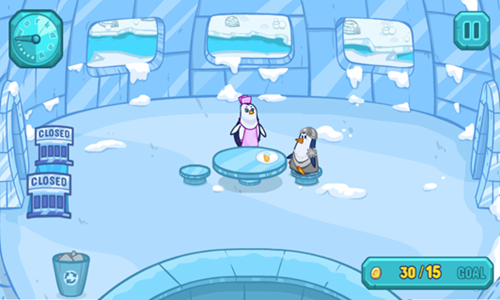
Penguin Cafe is restaurant simulation game where you play as a waitress penguin serving all of the artic.
- Quickly seat customers and take their orders.
- Deliver their food, collect payment, and clean the table.
- Each day your igloo moves to a new location and you have a new earnings goal.
- This game has a total of 25 challenging levels to play through.
- Use your in-game epxerience to buy igloo kitchen upgrades.
- Your kitchen upgrades help you increase customer satisfaction and earn more.
- Upgrades including faster skates, a high-powered blender, fancy tablecloths, curtains, a speaker system, and a premium toilet for the bathroom.
- Items range in cost from 499 to 4,999 for a total cumulative cost of 12,496.
Pizza Chief
Pizza Chief is a spatial placement game where you must lay ingredients on a pizza in close proximity to where they are located in the example.
- Look at the example throught bubble at the top of the screen to see where ingredients are located.
- Grab each of the ingredients from the bottom rail and drag them into position roughly where you think they belong.
- Play quickly as each stage is timed and you have to complete a number of pizzas each day to beat the stage.
- You score points based on how closely your ingredient placements match the example and how much time you have remaining when you beat a stage.
- Play through all 10 levels and see if you can beat the high score.
Pizza Shop
Pizza Shop is a 14-day simulation game where you serve customers pizza by the slice. See which shape of a slice they want and what toppings they desire and then deliver it to them before they lose their patience.
Regular Game
- Give each customer who arrives a menu.
- Look at their thought bubble to see which pizza slice shape and toppings they would like.
- Create their slice shape, then add toppings, then carry the finished slice to the customer.
- Collect their payment to complete the order.
- Both aspects of this game (making the dough slice & adding toppings) take a bit of time, so it can require a bit of effort to keep up. Sometimes you have to skip customers. You can carry a slice in each hand.
- Meet the daily production goal and play through 14 stages.
Match 3 in a Row Minigame
- At the end of each stage there is a match 3 in a row game where you must remove at least 80 of a particular ingredient from the level. Remove ingredients by making them a part of a match of 3 or more, by having a nearby explosion take them out, or by selecting to remove them with a wildcard.
- Valid moves require you to make a match of at least 3 in a row as a consequence of that move. You can move pieces vertically, horizontally, or diagonally.
- Create super ingredient by making matches of 4 in a row. When the super ingredients are subsequently used they will blow up the containing row or column.
- Make a match of 5 in a row to create a wildcard which allows you to discard all of a particular adjacent type of ingredient no matter where they are located on the stage.
Pizzeria
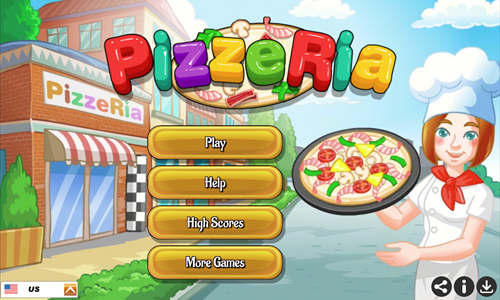
Pizzeria is a pizza making simulation game.
- Look at the thought bubble above each customer to see what kind of pizza they want and how much time you have to prepare their pie.
- Place the correct quantity of the correct ingredients on the pizza, put the pizza in the oven, then pull the pizza out. After you unlock mushrooms be careful when looking at the pepperoni in thought bubbles as some of them have mushroom pieces on top of the pepperoni.
- Serve the customers any drinks they would like.
- When giving the pizza to the customer you click on the pizza for dine in orders & you have to first tap on the box, then tap on the box again if they make a to go order.
- Some pizza ingredients like pepperoni, tomato, shrimp and sausage are applied before the pizza cooks. The condiment bottles are applied to the pizza after cooking.
- If you are unable to give a pizza to a customer be sure to check if it needs a box or not & if you do not know what to do with a particular pizza or how it was wrong you can select the recycle can to discard it and start working on the next pizza.
- As you progress through the 20 stages of the game you unlock more ingredients and order options. If you fail a level you can try it again.
Open Bar
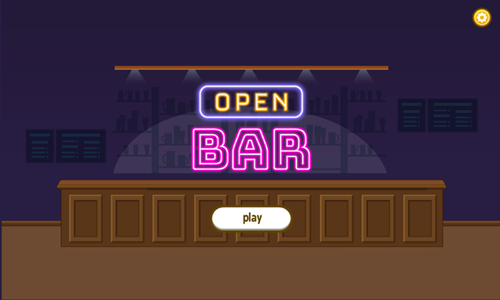
Open Bar is a time management game where players guide a bartender to serve customers.
- Select a customer to serve them.
- If the customer wants a beer time the pour to fill the glass or mug to the fill line without going over.
- If the customer wants a mixed drink shake the drink mixer, then pour to the fill line.
- When the drinks are nearly full stop pouring.
- Avoid overpouring drinks or filling too low to maximize your earnings from each drink.
- When the customer is served they automatically pay you based on the accuracy of your pour.
- After customers leave select the area in front of the barstool where they were sitting to wipe it down with a rag.
- See how much you can earn in 3:50.
Run Brewery
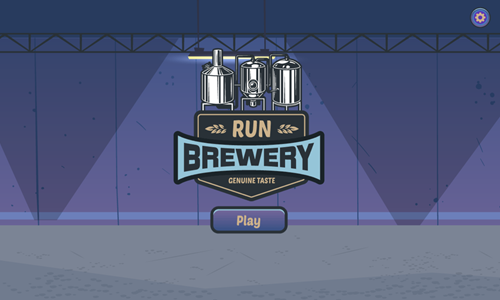
Run Brewery is a distillation plant simulation game.
- Hold the screen to move or press the progress button to move.
- Pull levers to activate them.
- Hold the power button to charge meters.
- Use meter adjustment buttons to raise or lower meter levels into the green zone.
- Activate all processes on the line to activate final product packaging.
- Keep all processes active to produce combo liters kegs.
- Make as many liters as you can in 3 minutes.
Sushi Bar
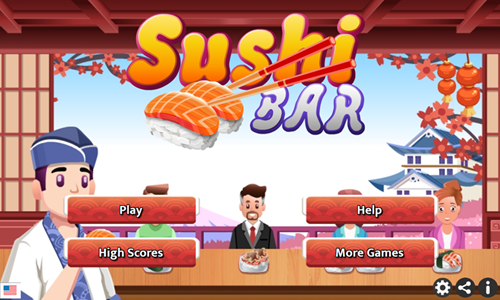
Sushi Bar is restaurant simulation game where you serve diners Japanese delicacies.
- Look at the thought bubble above each customer's head & create the dish they desire as quickly as possible.
- Place rice and any other needed ingredient on the preparation mat.
- Push the order out onto the conveyor belt to the customer.
- Collect the customer's payment. Don't wait long or sneaky ninjas may steal the funds.
- Reach the daily earnings goal before the timer runs out.
- If you run out on an ingredient needed to satisfy an order tap on the phone and purchase more inventory.
- As you advance through the game the customers order more complex dishes with more ingredients & customers come more frequently.
- Advance through all 60 days and become a sushi master.
Ultra Pixel Burgeria
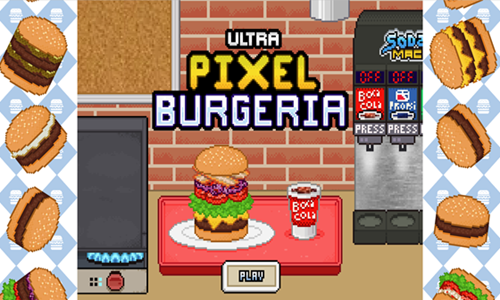
Ultra Pixel Burgeria is restaurant simulation game where you serve diners burger-based meals.
- Chose a customer's order to work on from the order board.
- Mix wheat and eggs to create a burger bun, then cook it on the range.
- Grab a cut of steak off the conveyor belt and cut it into ground beef.
- Place the patty maker metal on the ground beef to form it into a burger patty and cut it.
- Place the burger and bun on the tray, and scroll right to the soda machine to pour a soda.
- When the customer's order you selected is complete ding the bell.
- Beat the daily goal to move onto the next stage.
Idle Coffee Business
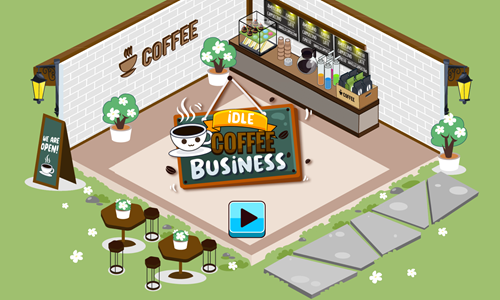
Idle Coffee Business is an idle clicker game themed after a coffee shop.
- Tap on a drink type to collect income from it.
- Select the tag in the lower left to upgrade each type of coffee to earn more from it.
- Press the money symbol over a coffee cup type to unlock the next drink type when you can afford it.
- Tap on the ribbon to collect 110 different experience-based awards.
- Select the cup icon in the lower left to open up the upgrades menu and purchase sales stacking and 3x profit increases for each drink type.
- Select the barista to activate social media promotion boost to temporarily double sales speed.
- As you progress through the game you can choose to sell the business to investors and start again with a starting earnings bonus, or continue your original game until all drinks have been unlocked.
- The game is designed so that you either have to let it passively play while you are not at the computer for long periods of time or you must sell the business to investors to have an earnings bonus, as the unlock costs increase geometrically. The first drink is free to unlock, the second drink costs 60 coins to unlock, and the nineth drink costs 25.8 trillion coins to unlock.
Idle Lunch
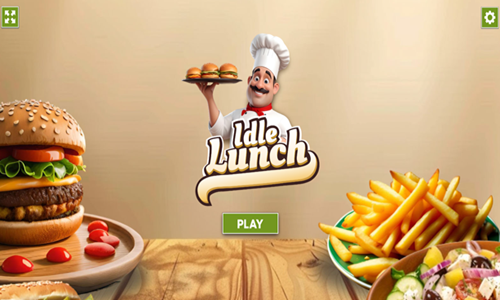
Idle Lunch is an idle clicker game where players can eat their way through nearly 50 different dishes, one click at a time.
- Press the green and white play button on the welcome screen to start the game.
- Tap on the cheeseburger to generate income.
- Collect coins left on the tray and select influencer upgrades to earn bonus income.
- Purchase power ups in the left rail to earn more from your eating.
- Across the top there are arrows to switch between foods. French fries can be unlocked for $10,000.
- Subsequent food dishes can be upgraded for 10 times as much as the prior dish.
- The complete menu order is: burger, french fries, pizza, hotdog, donut, steak, vegetarian salad, pie, egg with bacon, soup, gyro plate fillings, massaman curry beef, falafel chickpea patties, green curry rice, manti meat dumplings, onigiri rice balls, pho beef noodles, spanakopita spinach pie, teriyaki chicken wings, fried pizza rolls, meatball melted mozzarella, arepas corn cakes, banh xeo pancake, bulgogi stir fry, chiles rellenos pepper, chili cheese fries, currywurst street food, dumpling soup, empanadas pastry, feijoada bean stew, ham and cheese croissant, japchae noodles fry, kibbeh meat patties, mac cheese bacon, quesadillas cheese tortillas, somtam papaya salad, tacos mexican food, tonkatsu pork cutlet, chicken nuggets, bibimbap bowl rice, biryani rice bowl, butter chicken curry, goicuon spring rolls, moussaka eggplant, ramen noodles, samosas fried, shawarma wrap meat, sushi rolls, and lahmacun meat pizza.
Merge Cakes
Merge Cakes is an idle clicker merging game.
- Tap on the counter at the bottom to make new pastries appear sooner.
- Open pastry serving trays to activate the new pastries.
- Select a cake with your mouse left click and drag it into an identical cake to merge them into a more valuable cake.
- Each cake earns passive income. Income can be spent in the store to purchase additional cakes.
- The game has a variety of achievements you can collect to earn additional income.
- As you level up more places are created.
- Keep merging to unlock all 38 additional recipes.
- The game allows you to play through a second time in the Pastry Saloon with different desserts.

Food-Themed Games
Eat healthy meals. Health is wealth!
Banana Running
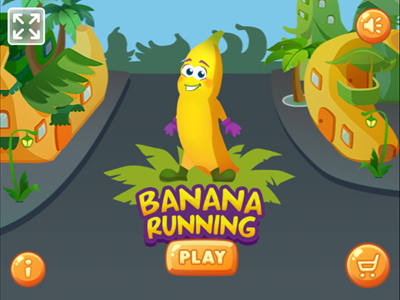
Banana Running is an endless running game where you help a banana collect coins and more bananas.
- Change lanes as needed and jump over or slide under obstacles. You can change lanes while jumping or sliding.
- Unlock temporary invincibility mode by collecting 10 bananas. If you already have invincibility activated when you collect more bananas it will extend how long the invincibility lasts.
- You have a blue protective shield while invincible and blink a couple times before it turns off.
- While the first invincibility takes 10 bananas the second invincibility upgrade counter does not start until you have completed the first invincibility wave. So if you collect 3 more bananas while invincible you'll need to collect 10 more to activate the next at 23.
- Collect coins along your journey and use them to purchase a skateboard, a segway, fireworks, and a hoverboard.
- The skateboard costs 100 coins, the segway costs 200 coins, the fireworks cost 300 coins, and the hoverboard costs 400 coins.
- Equip your upgrades and see how far you can go. Play until you have unlocked all upgrades.
- Once you have purchased unlocks they remain unlocked throughout further plays.
- Make it as far as you can before wiping out 3 times. You move faster the longer you play.
BBQ Roast
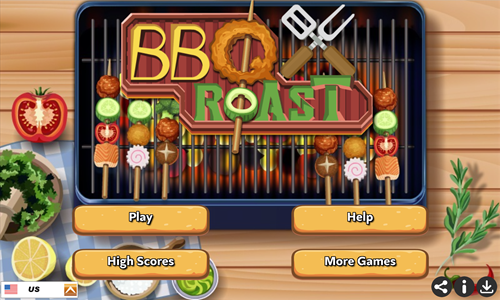
BBQ Roast is a simple merge 3 game.
- Move groups of like vegetables together into sets of 3 or more on a single stick to merge them into the next higher vegetable.
- When you move vegetables it only moves the furthest out vegetable and any adjacent vegetable on the same stick which is of the same type.
- Repeatedly merge vegetables until you reach the level goal.
- After making 4 moves another set of vegetables is added to the end of each skewer.
- The move before the vegetables are added the game shows which vegatable will be added to each stick. You can use the indicators to better align your existing vegetables with the incoming ones.
- Each skewer can hold 6 vegetables. Do not let any of the vegetables reach past the end of the rack or you will lose the level.
- Play through all 6 stages. On each stage you need to merge to a higher number goal, with a goal of 9 on the final stage.
Cooking Mahjong
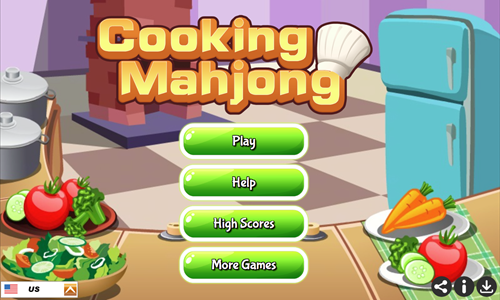
Cooking Mahjong is a recipe building game inspired by Mahjong Solitaire games.
- Look at the top of the screen to see which recipes you must fulfill and how many of each you must make.
- Select open stones which are part of the recipe. Rather than selecting identical matching stones you select the individual ingredients.
- Each time you complete a recipe the required count goes down by one.
- You can only use open stones to complete your recipes.
- Open stones are tiles which have no stones directly above them and at least one of the left or right sides is free of other stones.
- Open stones are denoted using a lighter background color, whereas stones that are not open have a darker background color.
- Play through 25 stages, completing all recipes on each before the timer reaches zero.
- When no valid open matches remain the remaining stones are automatically shuffled.
- If you fail a stage you can retry it an unlimited number of times.
Chinese New Year Mahjong
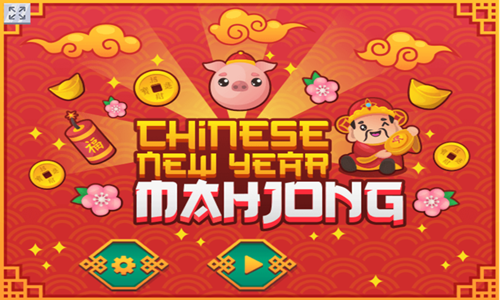
Chinese New Year Mahjong is a stone pair matching game themed after Lunar New Year. Stones feature food, good luck symbols, fortune symbols, and fireworks.
- Select an open stone & then select an identically matching open stone to pair them off and remove them from the board.
- Open stones have at least one side (left or right) free along with no stone atop them. In this game open stones have a lighter background color and show a highlight when you match them.
- When no matches remain the stones are automatically shuffled.
- You beat a stage by clearing off all the stones before the timing meter in the upper left runs out.
- The 12 stages can be played in any order.
- Across the top of the screen the game shows: remaining level play time meter, level number, level score, and open valid moves.
Bubble Pop Adventures
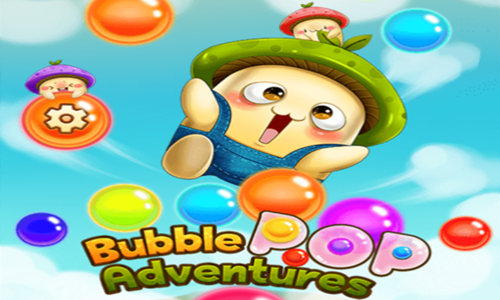
Bubble Pop Adventures is a fun 24-level bubble shooter game.
- Shoot directly at the stack or ricochet your shots off the wall to make sets of 3 or more identically colored adjacent bubbles.
- Look at the next up bubble to plan your next shot & switch shooting order at the stump as needed.
- Knock al of the mushrooms off the stack using limited ammo to earn up to a 3-star rating on each stage. You can replay levels with a low rating to earn a higher star rating on them.
- Pay attention to special bubble types as you progress through the game.
- Wood blocks can not be matched off, but can be knocked off by knocking off all adjacent bubbles.
- Clear bubbles turn the color of the bubbles which burst near them.
- Minus bubbles cost you 3 extra shots if you directly knock them off (though cost you nothing if you remove them as part of knocking off a different set).
- Plus bubbles give you additional ammo if you directly knock the sets containing them off the stack.
Pop Adventure

Pop Adventure is a bubble shooter game featuring over 1,000 distinct levels.
- The game loads to the level select screen. Stages are unlocked sequentially.
- Rewards, unlocks, and minigames are shown around the left and right edges of the level select screen.
- Move the mouse cursor around the screen to set your shot and left click to fire a bubble at the stack.
- Make matches of 3 or more identical bubbles to knock them off the stack.
- You can select the area below the bubbles to swap the current and next up bubble colors.
- Clear the stack before you run out of bubble credits.
- Earn up to a 3-star rating by playing efficiently.
- As you advance through the game, multiple high-powered bubble types are unlocked, which you can use to do extra damage.
Merge Salad
Merge Salad is a match 3 game where players create healthy salads.
- Place 3 identical ingredients in a row vertically or horizontally to slice & prepare that vegetable or fruit for the salad.
- Repeat the process until all ingredients are prepared.
- Once all individual ingredients have been prepared place the prepared ingredients in a single row or column to merge all of them into a salad.
- Complete each stage before the timer reaches zero.
- Play through all 10 levels to create 10 unique delicious salads.
- If you fail a level hit the refresh button in your web browser and try it again.
Happy Snake
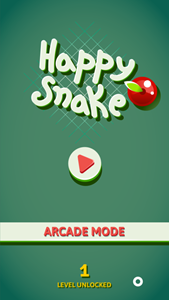
Happy Snake is a modern twist on the arcade classic. Choose to play the level-based game or play in arcade mode.
Arcade Mode
- In arcade mode you collect fruits until you run into spikes, run into your tail, or move off screen.
- Each fruit you collect in arcade mode is worth a point.
Levels
- In level mode you collect a series of coins. After each coin set is complete a fruit appears in a random location on the screen. Collect the fruit and the next coin set appears.
- The bottom left shows how many coins you must collect to make the next fruit appear.
- The upper left shows how many fruits you have left to collect to beat the current stage.
- The level-based game has 30 stages which you can play through.
- If you lose any stage you can replay it again until you beat it.
Shiny Snake
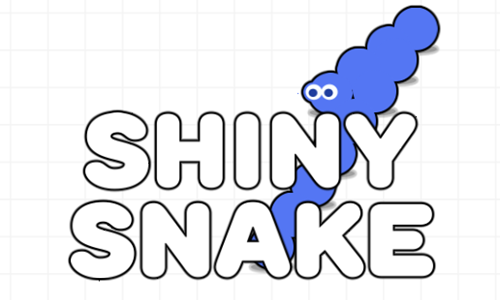
Shiny Snake is an endless snake game where you collect gems.
- Tap anywhere on the game loading screen to bring up the welcome screen.
- Touch the blue and white play button near the center of the welcome screen to start the game.
- Left click or tap anywhere on the screen to create a red X target which changes the direction the snake moves.
- You can repeatedly issue move commands in rapid succession.
- Bring the snake to each pink gem to score a point.
- Each time you grab another gem the snake grows longer and moves faster.
- Your snake can pass through its own tail, but can not run into any of the screen boundaries.
- Play as long as you can and collect as many gems as you can until you run into an edge of the playing field.
Snake Puzzle
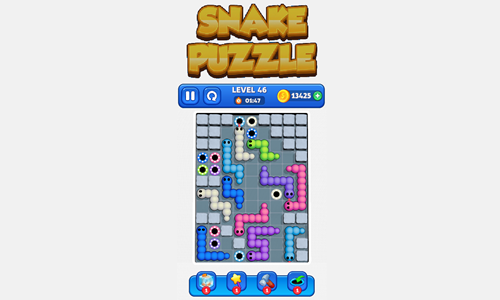
Snake Puzzle is a 50-stage logic puzzle.
- Left click on the head or tail of a snake and drag along to get the snake to go into the hole of the same color.
- As you advance to levels 3, 6, 9, and 12 you unlock power ups to freeze time for 15 seconds, shrink snakes, hammer walls to break them, and send a snake direct to its hole. Coins can be used to buy power ups. 3 time freezes cost 750, 3 shrink cost 1,500, 3 hammer cost 2,000, and 3 direct to hole cost 2,650.
- When a snake passes through its hole the snake and hole both disappear.
- When all snakes disappear a stage is complete, and you can earn between 100 and 500 coins for each stage completed based on your click timing.
- As you advance through the game additional aspects are added to make the game more complex. Stacked snakes require you to put the main snake color in its hole, then place the secondary color. Some snakes are locked in place with numbers on them, requiring you to place that many other snakes to unlock them. Some holes are locked with a number on them, requiring you to place that many other snakes in the correct hole to unlock them.
- Get all the snakes into their respective hole colors to complete each stage.
- If you do not beat a stage before the timer runs out you can tap to add another 15 seconds of play time.
Liquid Sort
Liquid Sort is a 90-stage sorting game.
- Press PLAY on the welcome screen and then choose from 6 different tube designs.
- Select a tube you want to pour liquid from and then select a tube you want to pour liquid into.
- You can pour any liquid into an empty tube. Otherwise liquid must be poured onto a tube which still has sufficient room and has the same color as the top liquid.
- Repeatedly rearrange liquids until each tube is full with one liquid color.
- Complete each stage before the timer runs out.
- Finish stages quickly to earn a high score.
- Starting on level 5 some liquids show in gray scale and only reveal their color after the liquids above them have been poured.
Water Sort 3D
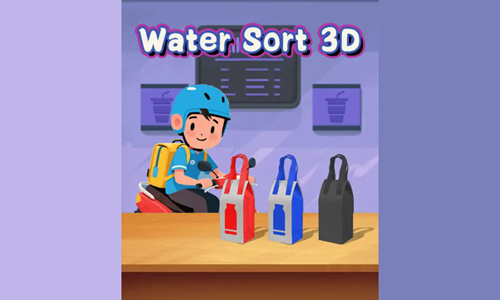
Water Sort 3D is a simple colored water sorting game.
- Select a glass you want to pour liquid from then select an empty glass or one with the same colored liquid at the top to pour liquid into it.
- Press the Level Mode button to play the standard level-based game. The level-based version of the game has 3 buttons at the bottom for shuffling tiles, undoing moves, and adding an empty bottle. When glasses have a number around them it means the content is hidden until you complete that many other bottles. If the label with the number is colored you must complete bottles of the same color.
- Press the Endless Mode button to play the endless version of the game.
- Press the challenge button to play a timed level with many bottles in it. The challenge button gives you a time limit and a move limit, though you can press the pop over bonuses to get more credits.
- Tap on the collection or my skins buttons on the welcome screen to see which glass types and backgrounds you have unlocked.
- Tap on locked glasses to unlock them.
- Play through as many stages as you can and see how far you can make it.

