
Play Free Online Entrepreneurship, Business Sim, & Business Strategy Video Games for Kids
Free Online Business Simulation Video Games for Kids

Learn Through Play
The goal of this section of our site is to make learning fun, helping children explore and better understand the world around them through interactive play. None of the games on our sites carry any advertisements.
We offer hundreds of different educational, fun, free and ad-free online video games for kids, teaching invaluable lessons about money, debt, business, and the economy. This is the business simulation portion of our collection. Please note that food business games are in a category of their own. Browse across the following categories to find the games the best fit your needs, or check out our other game categories: money games, real estate games, food games, environmental games, business games, math games, driving games, platformer games, and other fun games.
- Business Games: run businesses, trade goods, create software, and play office politics.
- Business Simulation Games: build a mining business, run a jewelry shop, become a florist, or become a corporate overlord.
- Trade Games: operate ships in ports, conducting trade to reach your objectives.
- Software Development Games: STEM games teaching children about coding logic along with how software is made and tested, along with an idle clicker game focused on building successful startup businesses.
- Office Politics Games: whimsical ragdoll clicker game can be used to explain internal competition, conflict resolution & team building, and an endless runner.

Your Feedback Needed
Do you have an idea for an educational concept you want covered in a game? You can send us a message & we will create a custom game if we like your idea. You'll be the first player and tester when it is ready for beta launch. :)
Business Games
Sim games which enable players to operate a variety of games ranging from building a mall or town on through to operating a local flower shop or building a thriving YouTube channel.

Business Simulation Games
Flea Market
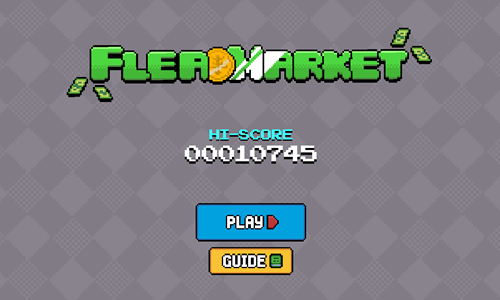
Flea Market is a 30-day simulation game where players buy and sell goods from various locations, seeing how much money they can earn in a month.
- Press the blue and white PLAY button on the welcome screen to start the game, or press the yellow and white GUIDE button to see the game guide.
- Players start each game with $50 in cash and $150 in debt. Debts compound 12% daily, and can be paid down in whole or part anytime.
- Press the GO TO MARKET button to buy goods, and press the STOCK button to sell goods. Each item shows current price, normal price, and the price you paid for it if you bought it in the past.
- Initially players can purchase up to 8 items which they hold in inventory, and each marketplace holds 10 items for sale. Players can purchase level upgrades starting at $300 to boost the item slots and shop slots.
- Each day has a daily task which provides a bonus if you complete it, though completing all daily tasks is not required to beat the game. Completing daily tasks boosts your final score multiplier for the month.
- After purchasing goods players can select another location from the list of 7 options then tap on the LET'S GO button to move to the next location and start the next day.
- Items can have different highlight or background colors indicating the level of scarcity. No background color means normal scarcity. Green means uncommon. Blue means rare. Purple means epic. More scarce items go for higher prices.
- Each item has areas where it typically sells for more and areas where it can be purchased cheaply. The game guide shares these on a per-item basis. We also show a table below highlighting the best buy or sell locations for each item type.
| Location |
Buy |
Sell |
| Little Fair Square |
dice, binoculars, lifesaver, headphones, gift, toaster, 3D glasses, lightbulb, bowling ball |
glasses, treasure map, computer mouse, 8 ball, teddy bear, 1 ball, camera, cap, ping pong paddle, aquarium, dog bone |
| Bargain Alley |
paper clip, blue clothes button, magnet, red wire, slipper, flashlight, wrench, pencil, battery |
traffic cone, CD, analog TV, old telephone, paint roller, paper airplane, kite, gift, toothbrush, toaster |
| Finders Street |
traffic cone, soccer ball, musical keyboard, paper airplane, 8 ball, cap, 1 ball, kite, record, sunflower plant, ping pong paddle, baseball, cooking glove |
binoculars, guitar, lightbulb, paper clip, blue clothes button, shoes, pencil, red wire |
| Miracle Market |
toothbrush, pink love t-shirt, black skull shirt, dog bone, shoes, teddy bear, blue shirt, panda bear, purple jacket |
baseball cap, sunflower plant, baseball, lifesaver, top hat, soccer ball, spatula, bowling ball, art palette, cooking glove |
| Antique Village |
guitar, CD, art palette, analog TV, camera, key, Christmas hat, old telephone, aquarium |
gold watch, scissors, gold trophy, gold ring, microphone, magnet, musical keyboard, record, silver trophy, battery |
| Business Courtyard |
gold trophy, diamond ring, glasses, treasure map, gold ring, computer mouse, top hat, portal video game system, hanger, gold medal |
dice, gold watch, slippers, pen drive, key, headphones, 3D glasses |
| Value Avenue |
gold watch, silver trophy, regular watch, spatula, paint roller, hanger, pen drive, microphone |
scissors, diamond ring, panda bear, portable video game system, blue shirt, flashlight, gold medal, purple jacket, black t-shirt with a skull, wrench, pink love t-shirt |
Gig Worker
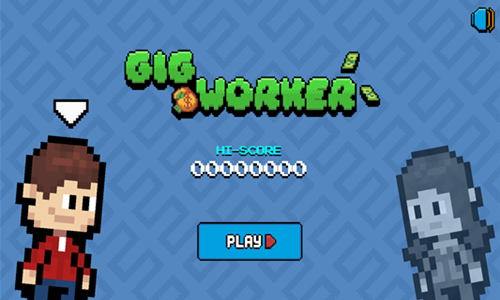
Gig Worker is a series of mini-games which invites players to earn as much as they can in 30 days.
- Initially players move around the playing field using the WASD keys or the arrow keys, and click to sweep up messes around the house.
- Each day players get 10 units of energy to spend performing tasks, then you can go to the bed to sleep at the end of the day.
- The first gig players unlock for $10 is called help desk rush. Spell the words on the tickets to earn about $1 each and play until you miss 3 tickets. Each help desk game costs 2 energy units.
- Players start with $750 in debt, with 12% daily interest. Go to the fridge at any point to pay off all or some of your debt.
- South of the house players can unlock a lawnmowing gig called grass cutter for $200. Each lawnmowing gig costs 3 units of energy to play. Completely mow the yard for around $200 in income. The mower can be upgraded for $40, $200, $500, and $1,000. Upgrading the mower allows it to move faster through the grass, though does not boost your income mowing.
- Near the south exit on the house players can unlock wood maker for $1,000. Run into the trees to gather wood to use in the wood maker task. You can go in and out of the house repeatedly to collect more wood. The wood chest game costs 1 unit of energy to play. You click on chests to efficiently use your wood and convert them into wood items you sell. The easy chest requires 3 taps, the medium chest requires 7 taps, and the hard chest requires 15 taps. Each tap costs between 1 and 15 pieces of wood.
- Street taxi is a minigame themed after being an Uber or Lyft driver. Players use the WASD keys or the arrow keys to drive around town and pick up passengers, then drive them to the marked destinations. Play until the car health has been reduced to zero.
- Pay off your debts quick and see how much you can earn in a month.
Idle Megamall Empire
Idle Megamall Empire is an idle clicker game where players build a tall megamall consisting of many floors.
- Build a supermarket on your first floor.
- Select the worker in each floor to start them working. After they check goods out select the elevator worker, and the sales office employee to collect funds.
- Upgrade your workers on each floor, your elevator operator, and your salesfloor manager to increase your income.
- Whenever any floor is upgraded to stage 25 you get a second worker which doubles your production.
- You gain more workers as you increase to higher levels at 50, 100, and 200.
- Hire managers to oversee workers and automate your production.
- Purchase additional floor unlocks to increase your income further.
- Upgrade managers and have them lean into workers to increase the worker speed.
- Keep reinvesting your earnings to upgrade your earning potential and expand your operation.
- Sell the megamall to an investor group and play again with an earnings bonus.
Idle Hotel Empire
Idle Hotel Empire is an idle clicker game where players build a thriving hotel business.
- Build the first floor of the hotel, featuring standard rooms.
- Select the worker on each floor to begin working, then select the elevator operator to bring the elevator up, then the reception worker to collect the income.
- Upgrade your elevator, workers on each floor, and reception office workiers to improve your hotel income.
- Whenever any floor is upgraded to stage 25 you get a second worker which doubles your production.
- You gain more workers as you increase to higher levels like 50, 100, 200, and 500.
- Hire managers to oversee workers and automate your business.
- Purchase additional floors to earn more. Above the Standard Room floor are the following floors: Cafe Bistro, Deluxe Room, Meeting Room, VIP Room, Infinity Pool, Gym & Fitness Room, and Presidential Room
- Upgrade managers and have them lean into workers to increase the worker speed.
- Keep reinvesting your earnings to upgrade your earning potential and expand your operation until investors express interest in your business.
- When you would like to sell the business to investors you can sell, and start building again with an earnings bonus on the new version of your next hotel.
Idle Factory Empire
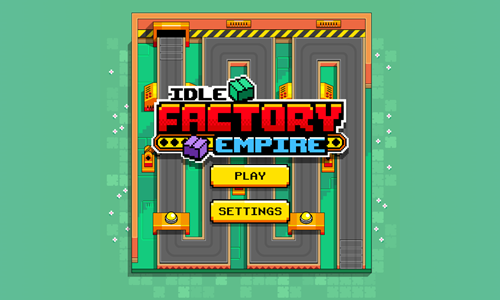
Idle Factory Empire is an idle clicker game featuring a factory with a winding conveyor belt full of products.
- Upgrade capacity to produce more products.
- Upgrade speed to speed up the conveyor belt.
- Upgrade material to improve the material type.
- Upgrade build quality to improve the build quality.
- Collect packages from floating balloons to earn extra income.
- Select the characters to the right to play mini games where you time your taps to maximize income from side games.
- Tap the BOOST START button to temporarily boost one of your 4 many factory ratings.
- Tap the stats button in the upper left to look at your factory performance statistics.
- After extensive gameplay investors appear offering to take a stake in your business. You can sell for an earnings bonus and start again, or keep playing your original game.
Idle Town Billionaire
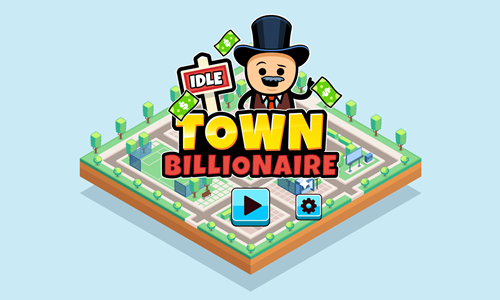
Idle Town Billionaire is an idle clicker game featuring 5 different small cities which are unlocked one building at a time.
- Select a lot with a blue price tag to erect a building there.
- Tap on a building to actively produce income.
- Select on the price below the building to upgrade the building production level.
- Select on the manager area to the lower left of the building to hire an operations manager or upgrade the manager to increase production speed.
- As you upgrade the building level and management it increases the rate you can produce active income from the building & it also increases the passive income.
- The upper left corner has a button for investor relations.
- Below the investor relations button are 3 buttons with mini games for generating income.
- Below the mini game buttons is a stack of cash button which you can select to double income for 10 seconds.
- At the bottom center there are arrows to switch between Rushcall, Flatdale, Highhall, Blacksteel, and Stormless City. You can switch between them anytime, though as you progress through the game buildings get much more expensive.
- The top center of the screen shows your cash savings and your idle earnings rate.
- The upper right corner has a settings button along with buttons to upgrade 5 or 10 levels at a time..
Idle Factory Domination

Idle Factory Domination is an idle clicker game where players develop parts of the world.
- Select a hexagon tile in a section to activate it.
- Activate the resource and factory hexagons in a section to earn passive income from the section.
- Activate all tiles in a section to be able to unlock another section.
- Invest some of your income to boost the quantity multiplier and income multiplier from your production.
- Zoom in or out and pan around an area to explore the entire area. Pick up loose coins on the ground to gather additional money.
- Return each day to unlock additional rewards.
- Activate all tiles in an area to unlock another area and play through all 8 areas.
Idle Airport CEO

Idle Airport CEO is an idle clicker game where players run and grow airports.
- Press the red and white button on the welcome screen to start the game.
- On your first playthrough the game shows instruction tutorial boxes with yellow and white buttons you can press to advance.
- Each time a plane makes it through the airport you earn income which you can spend on upgrades.
- Tap on the plane capacity, plane speed, check-in time, revenue, and airport service buttons at the bottom center to upgrade your income earning capabilities.
- There is a 1X button in the lower right of the airport. Select it to be able to upgrade the above features more rapidly.
- Intruders periodically appear on the screen. Click on them to earn extra income and keep the airport running smoothly.
- The upper left corner of the game has buttons for switching between airports, tracking your gameplay stats, and activating earnings boosts.
- Reaching certain milestones unlocks prestige, which allows you increase your rate of earnings at a new airport.
- Initially New York Laguardia is unlocked. As you advance through the game you can unlock London Healthrow, Paris Charles Du Gaulle, Singapore Changi, and Sydney Kingsford Smith Airport.
Idle Pet Business
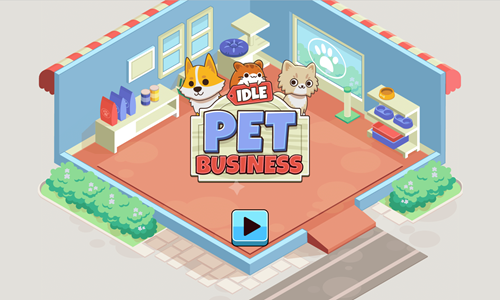
Idle Pet Business is a tycoon styled game where you operate a pet store.
- Select the pet hamster to earn income from selling hamsters.
- Use your profits from hamsters to unlock other pets including cats, dogs, rabbits, and parrots.
- Scroll over each pet periodically while left clicking to collect its earnings so you can keep reinvesting in improving your store.
- For each type of pet buy upgrades to lower your production time, stack earnings, and increase profits.
- You get pet-specific upgrades unlocked at 25, 50, 100, and 200.
- Share pictures of your pets on social media to market the store and earn income faster.
Twitchie Clicker
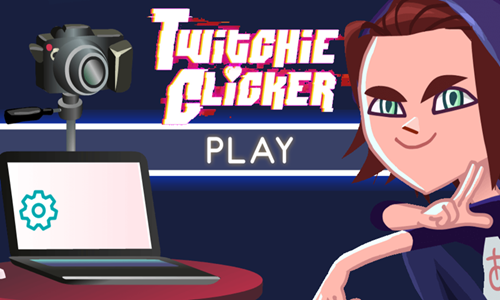
Twitchie Clicker is a game for aspiring influence marketers who would like to build a successful YouTube or Twitch channel.
- Repeatedly click in the active window area to generate active income. Tap on the green ads icon in the upper right for additional income.
- Unlock and upgrade fame factors including organic views, video on demand, live chat, hardware upgrades, front paghe feature, partner status, fan sites, official merch, and channel sponsorship.
- Fame factors are unlockable as you reach various subscriber counts, with unlocks at 1, 2,000, 100,000, 1,000,000, 5,000,000, 15,000,000, and 20,000,000 channel subscribers.
- Open up prime loot and anonymous gifts to generate additional income.
- Upload pre-recorded videos to earn passive recurring income.
- As your channel takes off you will earn passive income along with income generated by publishing new videos.
Piggy Clicker
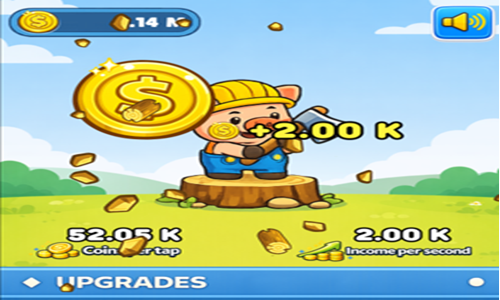
Piggy Clicker is a simple idle clicker game.
- Tap on the welcome screen to start.
- Click on the pig to generate active income. The faster you click the quicker you earn.
- Click on the large falling coins to earn an extra boost of income. Coins earn 5 times what is earned by an ordinary click on the pig.
- Your current coin savings is shown in the upper left corner. Below the pig on the left you see your earnings per click and to the right of EPC you see the passive income generated per second.
- The bottom portion of the screen has a menu of upgrades you can scroll through. Spend your income upgrading both your active and passive earnings. Every other upgrade is for active income production, and every other is for passive income production.
- As you scroll down the menu upgrade costs increase and are more effective at generating additional incremental income.
Corporate Overlord
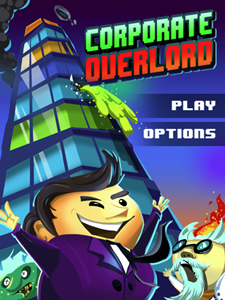
Corporate Overlord is an idle clicker game where you build a tower into the sky.
- Select the button at the bottom center of the game to rotate through the different floor types. Lay new floors on your tower to enable additional product type creation.
- You can create 10 different floor types: cafeteria, chemical lab, computer lab, marketing, psych lab, quantum lab, research lab, security, test lab, and workshop.
- Select the checklist button in the lower right to see how many of each type of floors you have built.
- Select the button in the lower left corner to research products and upgrade them. Upgrades are temporary and are best to use when an item's sales are hot.
- You can build dino plushie, choco vanilla popsicle, glowing shoes, mind enhancer, hair grower, ransomware, hover toycar, candy satellite, mystery box, cyber fire detector, the tickler, corporate glasses, hover carpet, glowing cactus, insta-freezer, nano roaches, cyber multitool, golden cutlery, universal solver, nuclear powered generator, spy drone, cheesy cereal, corpo droid, multi-dimensional tophat, nose enhancer, cyber grill, division zero, profanity filter for phones, pill of truth, invisible spycam, cyber knitting machine, xray glasses, and zombie servant.
- Building certain products requires you to have at least a minimum threshold of different floor types as prerequisites.
- Keep upgrading and expanding your product inventory to manage positive cashflow, as each floor you build has maintenance cost. Under the production tab there is a secondary sub-tab for sales which shows your earnings, construction spend, ivestment made, maintenance spend, research spend, net profits, gross income per cycle, maintenance cost per cycle, and net income per cycle.
- Scroll over cash sitting in your building to pick it up & address any security concerns that arise by selecting the floor with issues.
- Be careful with upgrading to the most expensive to maintain floor types early in the game, as the maintnance cost can leave you in a negative cashflow position.
Corporate Overlord Tower Floors
| Floor |
Cost |
Upkeep Cost |
Prerequisites |
| Cafeteria |
100 |
0 |
None |
| Chemical Lab |
200 |
1 |
1 Cafeteria |
| Computer Lab |
300 |
2 |
2 Cafeterias |
| Marketing |
400 |
2 |
3 Cafeterias |
| Psych Lab |
500 |
3 |
2 Chemical Labs |
| Quantum Lab |
600 |
5 |
2 Psych Labs, 2 Marketing, 2 Computer Labs |
| Research Lab |
700 |
10 |
1 Psych Lab, 2 Quantum Labs, 1 Chemical Lab |
| Security |
800 |
15 |
4 Computer Labs, 3 Marketing |
| Test Lab |
900 |
18 |
5 Research Labs |
| Workshop |
1,000 |
20 |
5 Cafeterias, 5 Marketing, 1 Computer Lab |
Corporate Overlord Widgets
| Widget |
Research Cost |
Income |
Invest |
Prerequisites |
| Dino Plushie |
100 |
3 |
100 |
None |
| Choco Vanilla Popsicle |
150 |
6 |
150 |
None |
| Glowing Shoes |
200 |
10 |
200 |
1 Chemical Lab |
| Mind Enhancer |
250 |
15 |
250 |
2 Psych Labs |
| Hair Grower |
300 |
17 |
300 |
3 Chemical Labs |
| Ransomware |
350 |
20 |
350 |
3 Computer Labs, 3 Security |
| Hover Toycar |
350 |
25 |
350 |
1 Computer Lab, 1 Quantum Lab |
| Candy Satellite |
400 |
30 |
400 |
4 Cafeterias, 4 Computer Labs |
| Mystery Box |
500 |
35 |
500 |
5 Research Labs |
| Cyber Fire Detector |
600 |
40 |
600 |
3 Computer Labs, 4 Quantum Labs |
| The Tickler |
700 |
43 |
700 |
2 Test Labs, 1 Workshop |
| Corporate Glasses |
800 |
50 |
800 |
5 Computer Labs, 2 Workshops |
| Hover Carpet |
900 |
55 |
900 |
3 Quantum Labs, 2 Workshops |
| Glowing Cactus |
1,000 |
60 |
1,000 |
4 Quantum Labs, 2 Test Labs |
| Insta-Freezer |
1,200 |
70 |
1,200 |
5 Quantum Labs, 2 Test Labs |
| Nano Roaches |
1,500 |
80 |
1,500 |
7 Research Labs, 2 Test Labs |
| Cyber Multitool |
2,000 |
90 |
2,000 |
7 Marketing, 4 Workshops |
| Golden Cutlery |
2,500 |
100 |
2,500 |
15 Marketing |
| Unversal Solver |
3,500 |
105 |
3,500 |
18 Computer Labs, 1 Quantum Lab |
| Nuclear-Powered Generator |
5,000 |
109 |
5,000 |
5 Quantum Labs, 8 Research Labs |
| Spy Drone |
6,000 |
120 |
6,000 |
6 Coomputer Labs, 7 Security |
| Cheesy Cereal |
7,000 |
130 |
7,000 |
15 Cafeterias |
| Corpo Droid |
8,000 |
150 |
8,000 |
10 Computer Labs, 7 Workshops |
| Multi-Dimension Tophat |
8,500 |
155 |
8,500 |
6 Quantum Labs, 5 Test Labs |
| Nose Enhancer |
9,000 |
170 |
9,000 |
6 Psych Labs, 7 Test Labs |
| Cyber Grill |
9,500 |
180 |
9,500 |
8 Quantum Labs, 7 Workshops |
| Division Zero |
10,000 |
190 |
10,000 |
15 Computer Labs, 20 Workshops |
| Profanity Filter for Phones |
11,000 |
200 |
11,000 |
10 Computer Labs, 9 Security |
| Pill of Truth |
12,000 |
220 |
12,000 |
10 Psych Labs, 9 Test Labs |
| Invisible Spycam |
15,000 |
230 |
15,000 |
10 Computer Labs, 8 Quantum Labs |
| Cyber Hitting Machine |
20,000 |
300 |
20,000 |
10 Marketing, 9 Quantum Labs |
| Xray Glasses |
25,000 |
400 |
25,000 |
10 Research Labs, 10 Workshops |
| Zombie Servant |
30,000 |
500 |
30,000 |
15 Psych Labs, 10 Test Labs |
Flower Shop
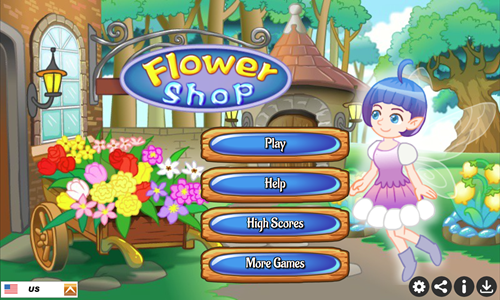
Flower Shop is a floral business simulation game where you must swiftly serve customers floral arrangements.
- Give each customer a list of your options.
- Grab the flowers they wish to purchase and hand them to them.
- Each time you use the last of a particular type of floral arrangement be sure to reorder immediately so you maintain one in stock for the next order of that floral arrangement type.
- Collect their payment to complete the order.
- Reach the daily customers served goal on each stage and play through all 10 levels.
- As you advance through the game you automatically reinvest in growing your product line, making each level more complex as you have more options to sort through.
Flower Shop 2
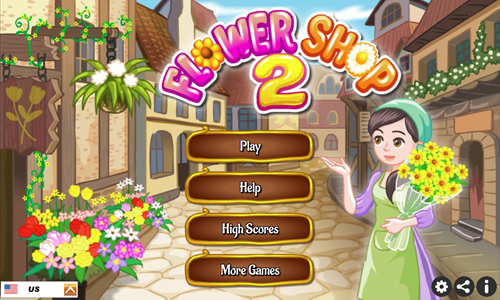
Flower Shop 2 is the sequel to Flower Shop.
Regular Game
- Give each customer a list of your options.
- Grab the flowers they wish to purchase and deliver them.
- Collect their payment to complete the order.
- Reach the daily customers served goal on each stage and play through all 10 levels.
- As you advance through the game you automatically reinvest in growing your product line, making each level more complex as you have more options to sort through.
Match 3 in a Row Minigame
- At the end of each stage there is a match 3 in a row game where you must remove at least 100 of a particular type of flower from the board. Remove flowers by making them a part of a match of 3 or more, by having a nearby explosion take them out, or by selecting to remove them with a wildcard.
- Valid moves require you to make a match of at least 3 in a row as a consequence of that move. You can move pieces vertically, horizontally, or diagonally.
- Create super flowers by making matches of 4 in a row. When the super flowers are subsequently used they will blow up the containing row or column.
- Make a match of 5 in a row to create a wildcard which allows you to discard all of a particular adjacent type of flower no matter where they are located on the stage.
Jewel Shop
Jewel Shop is a simple jewelry store simulation game.
- Give each customer showing a list of options they can purchase.
- Look at their thought bubble to see which item they want and grab it quickly to serve them.
- Bring the item to the customer and collect their payment to complete the order.
- Each time you select a silver or gold item be sure to restock it immediately so you have some in stock for the next customer.
- Gems take time to produce & you typically have to wait until after the customer orders them as each gem station can produce 2 types of gem but can only contain one gem at a time.
- You can carry up to 2 items in your hands at a time.
- Reach the level goal before the level timer reaches zero.
- As you progress through the game you need to serve customers quicker & have a broader collection of options to choose from.
- Play through 10 fun & challenging stages.
Air Traffic Control
Air Traffic Control is a simple airport simulation game where players must guide aircraft toward safe landings.
- Press the red and white button near the bottom of the welcome screen to bring up the level select screen.
- Your first play shows a tutorial.
- Select which airport you wish to play: Hawaii, Las Vegas, Denver, New Orleans, Sahara, Puerto Rico, Mojave, Rocky Mountain, Alcatraz, Phoenix, or US Virgin Islands.
- Earlier airports toward the left end of the menu are easier, with later airports being harder.
- Use your mouse left click button and select each aircraft, then draw a safe path for it to land on the correct associated runway or helicopter pad. Airplanes must land on the associated airstrip color, while following the direction of arrows on the runways. In some cases you need to guide aircrafts away from traffic initially and then later create their landing path.
- Avoid letting aircraft run into fixed obstacles or other aircrafts.
- Some of the later stages have aircraft which take off. You must guide those aircraft toward the same colored markers near the edge of the screen.
- Each aircraft which safely lands is worth a point. You play each airport until a crash happens.
Merge and Fly

Merge and Fly is an airport simulation game where players optimize the airport to maximize income.
- The game automatically loads into active play.
- Drag a plane icon into another identical plane icon to merge them into a more valuable plane.
- Open up gifts which appear.
- Drag valuable planes onto the runway to earn income from them. Tap on plane icons to retreive the planes from the runway so you can merge them or place other planes on the runway.
- Buy additional planes in the in-game shop.
- Tap the upgrades button inside the shop to purchase upgrades. Players can upgrade airplane purchase discount, speed up planes, increase plane earnings, increase fusion prizes, reduce delivery time, increase offline earnings, add additional parking spots, and create more fairways.
- Merge your way through all 25 planes.
Flight Sim
Flight Sim is a 12-stage air traffic control simulation game.
- Press the red and white play button to bring up the level select screen.
- The game features 12 stages which are unlocked sequentially.
- Red warning indicators appear along the edge of the screen where an aircraft will come into play.
- Use your mouse left click button to select each aircraft and draw a path which guides it safely toward landing.
- Planes must land on runways of the same color using an approach path facing the direction of the runway landing, with hydroplanes landing on water. Blimps and helicopters must land in matching landing spots of the same color
- When aircraft safely land they become smaller then disappear.
- Each stage has a landing quota to beat it.
- If any aircraft crash you lose and must play the stage again.

Trade
Operate ships and go from port to port trading goods.
Harbor Operator
Harbor Operator is a port operation game.
- Press the red and white play button on the welcome screen to play the tutorial.
- Draw a line to park the ship in port, and when it finishes unloading send it back out to sea by drawing another line.
- Upon completing the tutorial the game brings up the port select menu.
- Choose a port to play from: Bremerhaven, Rotterdam, St. Helens, Oslo, Gothenburg, River Docks, Grotrie Port, Shanghai, Helsinki, Hamburg, Wilhelmshaven, Havre, Rostock, Antwerp, Amsterdam, Felixstowe, Marseille, Coastal Cove, Anchor Point, or Port City.
- Park each boat in a port of the associated color. After the boat unloads send the ship back out to sea to open the port for other ships.
- Guide ships around traffic and the coastline to avoid collisions. Play until you have a collision.
- The game automatically saves your best score for each port.
Trade Routes
Trade Routes is a goods trading game where your goal is to earn $100,000,000 from trade.
- Press the gree and white PLAY button on the welcome screen to begin the tutorial.
- Captain Steve offers a walkthrough. You can skip the tutorial by clicking on the bottom center, or follow along through it by selecting on the lower right.
- Indicators across the top show how close you are to the earning goal, along with the types and quantity of goods on your ship. You can carry apples, iron ore, video game consoles, and microprocessors on your ship.
- Tap on the radio tower button near each port to see which goods the island has and what they need.
- If you have the goods a particular city needs you can pull into port to exchange those goods for cash or other commodities.
- Draw a line guiding the ship into port. After goods have been offloaded and loaded onto the ship repeat the above process until you reach the target earnings goal.
- You can select the game background and drag to pan around the playing area. Each time you want to move the ship you have to get it in view then draw a line to get it to move. Some movements will require drawing a line, waiting for the ship to move, then drawing another line to reach the final destination.
Port Shipping Tycoon
Port Shipping Tycoon is a simple trade game.
- Press the yellow and white play button on the welcome screen to play the tutorial.
- Tap on gray areas with a number on them to unlock the associated land.
- Activate a port area and a resource tile within each area to begin passively earning income.
- Activate every hexagon on an island (or section of an island) and you are given an opportunity to unlock the next area.
- After coloring in all the tiles in all 5 areas the game is completed.
- This game is a brief and easy play, and is powered by the same game engine as Idle Factory Domination.
- Play Idle Factory Domination if you would like to play a longer and more involved game.
Unblock Containers
Unblock Containers is a simple slide puzzle game where players move containers around to clear a path allowing the blue container to exit through the opening in the wall.
- Press the START button to bring up the level select screen.
- Stages are unlocked sequentially.
- Move one container at a time to clear a path to allow the blue container to slide out of the grid.
- Earn up to a 3-star rating on each stage by efficiently moving the containers around.
- Each stage shows your best move count and highest star rating.
- Try to earn a 3-star rating on each of the 24 stages.
Delivery Dizzy
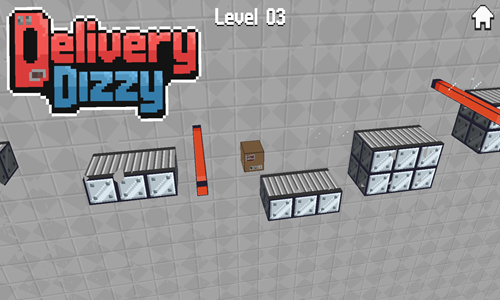
Delivery Dizzy is a factory logistics game where you help guide a package across conveyor belts to its final destination.
- Press any button on the welcome screen to bring up the level select screen.
- The game has 10 levels which are unlocked sequentially.
- Left click or press the spacebar to have the package jump.
- Avoid falling off platform or running into the spinning orange bars.
- Bounce off walls with a jump when needed.
- Make it to the target symbol at the end of each stage to advance to the next.
- If you miss a jump or run into something the game automatically restarts the current level again.
Deliver The Package
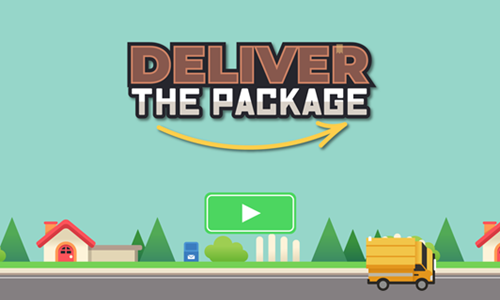
Deliver The Package is a 24-stage rotation puzzle game where players must turn the road segments to create a path for the delivery vans to deliver packages to each of the homes.
- Press the green and white play button at the bottom of the welcome screen to bring up the level select menu and select the stage you wish to play.
- Tap a road tile to rotate it clockwise 90 degrees.
- Repeatedly rotate various pieces until you complete paths which allow the delivery trucks to reach every house.
- You can turn any road piece type including the van.
- The only tiles which can not be rotated are the houses. The road path must pull up to the home's driveway.
- The road which is part of a valid path has the lines on it turn yellow.
- Score 1,000 points for each move you have remaining on each stage.
- Earn up to 3 stars on each level for efficient route planning.
Drone Pickup Service
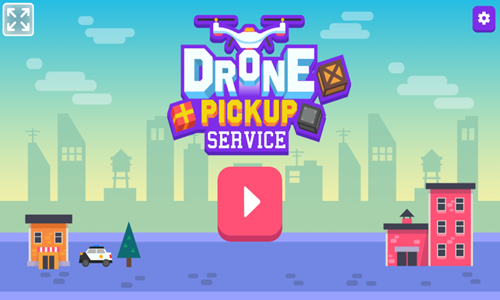
Drone Pickup Service is a 24-stage package pickup and delivery game.
- Press the left arrow button to fly up and to the left.
- Press the right arrow button to fly up and to the right.
- Collect all the packages scattered around the level. The lower right corner shows how many packages there are and how many you have already retrieved.
- Avoid running into fixed platforms and objects, moving platforms, and helicopters. If you crash into anything it is game over.
- After collecting all the packages go to the red landing pad and safely land the drone.
- Finish each level quickly to earn up to a 3-star rating on each stage. The level timer does not start until you move off the launchpad.
- Play through all 24 challenging levels.
Toll Clicker
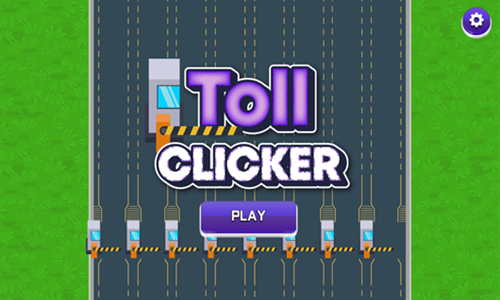
Toll Clicker is a simple idle clicker game where players guide traffic through toll booths.
- Repeatedly tap on a toll booth to help vehicles get through it clicker.
- Earn income for each vehicle which passes through the toll.
- Use income to purchase upgrades to toll income, toll speed, traffic flow, vehicle class, and add additional lanes. Each feature can be upgraded 8 times.
- Every 10 vehicle which passes through the tolls gives you an achievement coin. Achievement coins can be spent on calling a VIP car, getting a lump sum of income, or unlocking a new highway.
- Achievement status is shown in the lower right. Coin savings and achievement savings are shown in the upper left.
- Periodically the left rail of the screen offers bonuses you can click to activate. The bonuses increase income, give achivement tokens, or make vehicles pass through toll booths faster.
- Each highway can have a total of 9 lanes.
- Players start off on Ashfield Highway, but can also unlock Skyspan Bridgeway, and Moltara Inferno.

Software Development & Online Businesses
As Internet-connected businesses have grown to represent a larger share of the economy most businesses of the future will have an online component to them. These games help children learn basic concepts associated with computer programming and software testing.
Code Monkey
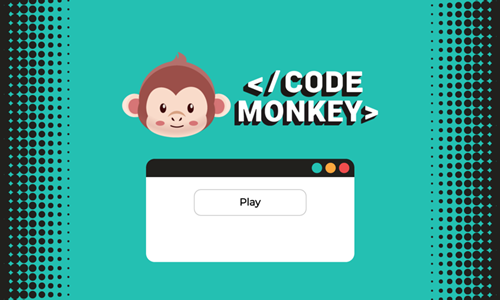
Code Monkey is a 32-stage introduction to programming where you provide the movement codes needed to help a monkey reach delicious bananas.
- Look at the grid to see where the monkey is, where the banana is, and observe any obstacles in between.
- Drag movement command pieces from the left edge of the screen into the chain to direct the monkey to move in the correct order.
- Repeat the process until you have created the entire path, then click the red start button to execute your code.
- As you advance through the game you unlock additional movement types.
- Jump over bushes or any other tiles in any direction, placing your landing 2 or 3 squares from the quare you jumped.
- Use the move repeat button to select how many times to move in a direction or in multiple directions as part of a single repeated move.
- Design your moves to collect all the coins before reaching the banana and beat each stage within the move count limit.
AGI Overload
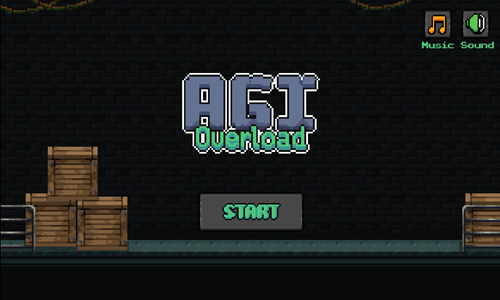
AGI Overload is a timed 15-stage platformer game. The AGI computer system has overloaded and is close to reaching singularity, it is up to you to race through the computer lab and manually shut it down.
- Move left and right using the left and right arrow keys on the keyboard.
- Jump by pressing either the spacebar or the up arrow key. Press twice to double jump.
- Break blocks, destroy computing equipment, and defeat enemies by pressing either the C or J keys.
- Each time you destroy computing equipment you set back the AGI progress.
- Score points for each disk you collect and for each enemy you defeat.
- Avoid touching spikes, getting hit by rockets, or running into lasers.
- If you get hit you die and must replay the current stage, though the AGI's progress is retained.
- Hit the red switch to open the door and pass through the door to the next level.
- Complete all 15 stages before the AGI gets to 100%.
Robot Start
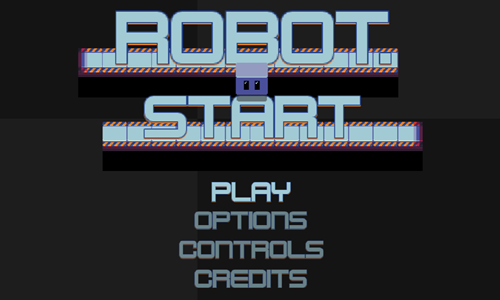
Robot Start is a 26-level room escape game inspired by Sokoban. The player moves a robot through a computer factory, turning on the computers in each room before advancing to the next.
- Press the WASD or arrow keys to move the robot around the playing field. When you move the robot slides from edge to edge until he runs into something.
- If you get stuck or make a mistake you can press the R key to restart the current level.
- Slide directly across the blue buttons, or push a red box over the blue buttons to activate them and turn the computers on.
- The level configuration of many stages requires you to approach the orange boxes from the correct angle so that you can use them to fill in gaps in the wall or use them as temporary stops to make other moves.
- When you run into an orange box you stop on the square before it and the orange box moves in the direction you were moving until it runs into something.
- After turning all the computers on the room exit opens. Pass through the exit to the next stage.
Code Panda
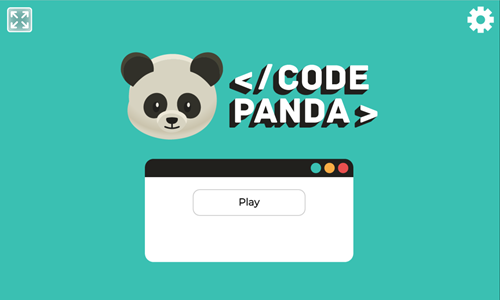
Code Panda is an introduction to programming where you provide the movement codes needed to help a panda reach delicious bamboo. Play through all 32 stages! This game is a reskin of the above game.
- Look at the grid to see where the panda is, where the bamboo is, and any obstacles in between.
- Drag movements from the left side into the chain to direct the panda to move in the correct direction.
- Repeat the process until you have created the entire path, then click the red start button to execute your code.
- As you advance through the game you unlock additional movement types.
- Jump over bushes or any other tiles in any direction, placing your landing 2 or 3 squares from the quare you jumped.
- Use the move repeat button to select how many times to move in a direction or in multiple directions as part of a single repeated move.
Fix Microchip
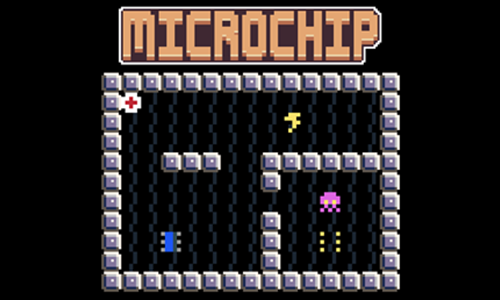
Fix Microchip is a simple Sokoban game featuring computer circuitry.
- Press the start button in the center of the welcome screen to bring up the level select screen.
- Levels are unlocked sequentially. Select the first level to play it.
- Move the red and white plus symbol around the stage using the arrow keys on your keyboard.
- Avoid running into computer viruses, or neutralize them by pushing antivirus into them. The viruses move each time they are on the same row or column you are, and some of them can pass through walls.
- Some stages have green barriers you can use to keep viruses blocked away, while other stages requiring pushing or pulling the green barriers to enable other plays.
- Push the microchip into position to beat each stage and move onto the next.
Chip Collector
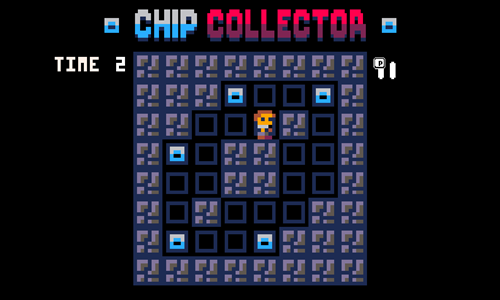
Chip Collector is a speedrun collecting game.
- Press the start button in the center of the welcome screen to start the first level.
- The game has a level timer which is shared across levels.
- When the timer reaches zero it is game over & if you replay you start again at the first level.
- Use the arrow keys to move around each stage. Run into each of the microchips to collect them.
- Each time you collect a microchip more time is added to the game timer.
- Avoid running into the walls, as collisions stun you while the clock keeps ticking.
- Play until you run out of time, or if you move quickly you can play through all 20 stages.
Idle Startup Tycoon
Idle Startup Tycoon is an idle game where you build a startup incubator housing many different businesses.
- Upgrade your programmers on each floor to make them work faster & more efficiently. Each business starts with 1 programmer. You get a second at level 25, a third at level 50, and a fourth at level 100.
- Hire a manager for each business & upgrade their skill set to get more out of your employees. Your first upgrade for each manager is available after you reach level 25 inside that business.
- Automate the server job tasks and upgrade the sales floor to process a higher volume of throughput.
- Unlock new floors to build new startups with new lines of business. The bottom floor is the shared sales office. Other businesses include a food delivery app, mobile gaming, ridesharing app, livestreaming app, internet of things startup, infosec, drones, artificial intelligence, and suborbital space.
- After playing for a while you can accept an investment in the business. Doing so restarts the game, but has you earn more faster on the subsequent playthrough.
Web Tycoon Simulator
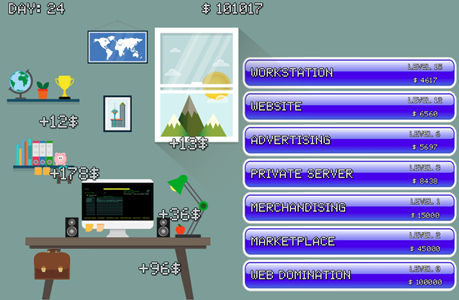
Web Tycoon Simulator is an idle clicker game for young children where players click to earn income and upgrade various aspects of a web based business to earn money faster.
- Click anywhere on the screen to generate income. As you click income amounts with a plus symbol are shown on the screen and your current savings are shown at the top of the screen.
- Income is also passively generated when you do not click, though only at around 20 percent the rate.
- Use your income to buy upgrades to your workstation, website, advertising strategy, private servers, merchandising, marketplace, and develop web domination.
- Buttons for upgrades you can afford are in a brighter color and ones which are beyond your budget are a duller tone.
- Each feature can be upgraded many times with the upgrade costs growing geometrically.
- As you upgrade various aspects of your business your passive income generation will improve and your office background will gain more knick knacks.
Adventure of Microchips
Adventure of Microchips is a simple resource extraction and processing game which walks children through the process to make microchips.
- Press the yellow and white play button on the welcome screen to start the game.
- Use the WASD keys, the arrow keys, or your mouse left click and drag to move the worker around the screen.
- Move near rocks to mine silicon sand.
- Carry silicon sand across the bridge to the top to the silicon reactor to produce silicon crystals.
- Bring silicon crystals to the wafer factory to make silicon wafers.
- Bring the silicon wafers to the extreme ultraviolet lithography machine to print highly sophisticated microchips.
- Cross the bridge to the factory to end the game.

Office Politics - Office Fights, Save the Boss & Endless Runner
How you navigate office politics is often as important as the company's approach to the broader market.
Folder Mayhem
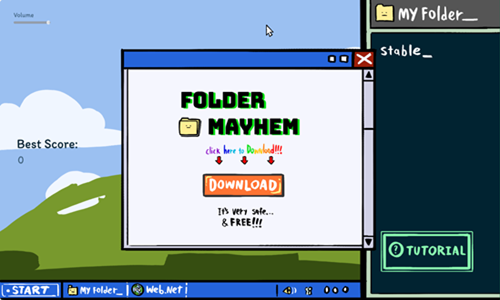
Folder Mayhe, is a game which also serves as an internet safety PSA.
- Press the orange DOWNLOAD button to start the game.
- Left click on an incoming virus to clear it. Some viruses require multiple clicks to defeat.
- Warning indicators show where viruses will appear. If a virus will come into the screen near your folder you can move your folder away before dealing with the virus.
- Hold your mouse left click button over your folder and drag it away from incoming viruses.
- Tap the close button on pop up ads in the upper right corner to close their windows and clear the screen.
- As you last through waves you enable upgrades like system shock to stun click, increase your folder speed, or boost your hard drive size.
- Play for as long as you can and see how long you can last and how many points you can score.
Office Wrestling Royale
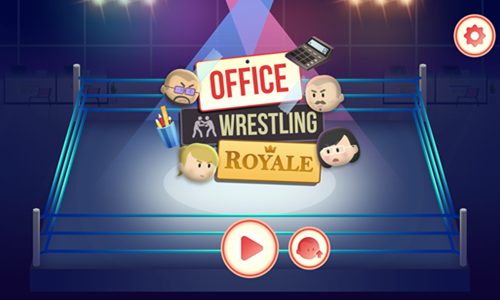
Office Wrestling Royale is a clicker wrestling extravaganza themed after the WWE Royale Rumble.
- Choose to wrestle as one of eight different characters: Brad The Money Maestro, Megan The Sales Rockstar, Rick The Money Magnet, Anne The Brand Warrior, Ashley The Tech Monkey, Bob The Hackerman, Amanda The Copy Cruncher, or Collin The Big Boss.
- Move your mouse to move around the ring to avoid getting hit by enemies and to avoid them hitting you with a jump off the top rope.
- Repeatedly click your mouse to attack nearby enemies.
- Approach enemies which are kneeling down & click to pick them up and throw them over the top rope. Each enemy you throw over is worth 1 point & 3 coins.
- Depending on how many enemies you defeat you will earn coins which can be spent upgrading your character attributes for each character.
- You can upgrade your attack, health, berserk, speed, and defense. Each attribute can be updated 4 times with the initial cost starting at 75 to 100. The 3 features which start at 100 to upgrade the first time later cost 150, 250, and finally 400 to upgrade. The 2 features which start at 75 to upgrade the first time later cost 125, 200, and finally 300 to upgrade.
- When you lose you can choose to upgrade your characters. Upgrades are saved between games, but are only applied to one wrestler. It makes sense to fully upgrade one wrestler & then use their income to upgrade other wrestlers.
Office Fight
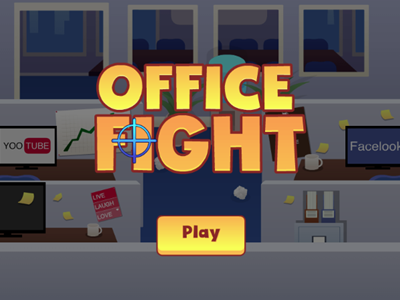
Office Fight is a throwing battle game set in an office environment.
- Throw paper balls at coworkers, hitting them before they hit you.
- Each enemy you defeat earns you money, which can be used to purchase upgrades.
- Rulers cost $1,000, pencils cost $2,000, erasers cost $4,000, books cost $8,000 and computer monitors cost $10,000. Upgrades can be purchased in any order.
- Periodically a boss arrives. Most opponents take a single hit to defeat, but you have to hit the boss many times to defeat him. The boss needs hit twice in each location and keeps repeating with a face that is more red each time he re-appears until you have defeated him.
- Your health status bar is in the upper left corner of the game. Each time you get hit you lose health & each time you defeat an enemy you gain back a bit of your health.
- Periodically a mouse runs down the center of the screen. Hitting it is worth 200 points.
- Your savings and unlocked weapons carry over from game to game.
Office Hurdles
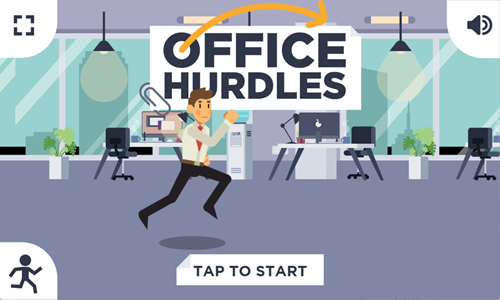
Office Hurdles is an endless running game set in an office environment.
- Tap the start button bottom center to play.
- Left click to jump over wet spots on the floor.
- You score points based on how far you run.
- Time your jump perfectly to score 10 bonus points. Make multiple perfect jumps in a row and activate a score multiplier where the second jump is worth 20, the third is worth 30, and so on.
- Bump into one hazard area and it is game over.
- The lower left corner of the welcome screen has a character select button which allows you to change between playing as a boy or a girl.
- The upper left corner of the welcome screen has a full screen mode button.
- The upper right corner of the welcome screen has a sound control button.
Happy Boss Pull Pin
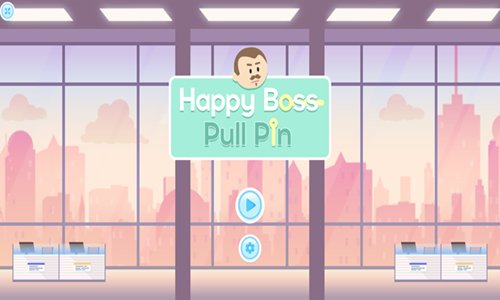
Happy Boss Pull Pin is a 100-stage pin pulling game.
- Pull pins in the correct order to get the diamonds to reach the boss.
- Golden pins can only be pulled once.
- Silver pins on a rail can be moved back and forth.
- Regular pink pins can be rotated back and forth.
- The pink pins with indicator dots on it breaks when the timer reaches zero.
- Ensure the boss avoids the hazards including the lava, arrows, and acid.
- You can use the lava to destroy other hazards including bow and arrow.
- When in position select the boss to have him move.
- Collect all the diamonds to move onto the next level.
- As you advance through the game additional features are added like portals you warp through.
Rescue Boss Cut Rope
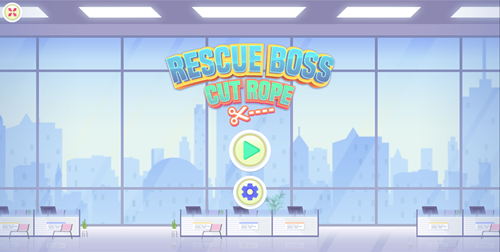
Rescue Boss Cut Rope is a physics puzzle game.
Cut the ropes in the correct order and with precise timing to allow your boss to safely make it to the ground while steering clear of hazards including poisons, fires, arrows, and explosives.
- Cut ropes one at a time or cut multiple in rapid succession.
- Time your cuts so you avoid hazards and have your momentum directing you safely toward the level exit.
- Play through 30 different fun filled levels.
- If your timing is off or you cut the ropes in the wrong order the boss gets it, but this game offers unlimited continues.
Whack The Cost
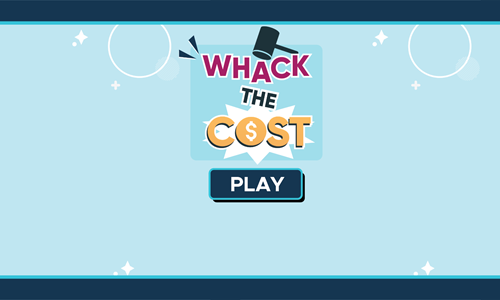
Whack The Cost is a whack-a-mole inspired tapping game.
- Hit all the unnneeded expenses without hitting your earnings.
- You earn income each time you destroy unneeded expenses including: premature scaling, bad accounting, steak dinner, overhiring, unjustified R&D, lavish perks, corporate jet, and unnecessary debt.
- Some items are destroyed with a single hit, while others require 2 or 3 hits to destroy.
- Items which take more than 1 hit to destroy show cracks the first time they are hit, and are worth more points.
- You start the game with 30 seconds.
- You lose 3 seconds any time you hit a bag of cash.
- In addition to cash you gain 3 seconds each time you destroy a corporate jet.

