
Play Free Online Environmental Management Video Games for Kids
Free Online Environoment Video Games for Kids

Learn Through Play
The goal of this section of our site is to make learning fun, helping children explore and better understand the world around them through interactive play. None of the games on our sites carry any advertisements.
We offer hundreds of different educational, fun, free and ad-free online video games for kids, teaching invaluable lessons about money, debt, business, and the economy. You are currently viewing our environmental resources section. Play games themed around protecting and renewing the environment. Find the environmental & recycling games the best fit your needs below, or consider some of our parallel categories: money games, real estate games, food games, business games, business games, math games, driving games, platformer games, and other fun games.

Your Feedback Needed
Do you have an idea for an educational concept you want covered in a game? You can send us a message & we will create a custom game if we like your idea. You'll be the first player and tester when it is ready for beta launch. :)
Environmental Games
The work environment is a subset of the natural environment. Most businesses rely on natural resources for some portion of their supply chains or distribution, and we all must live with the consequences of the impacts of businesses and our personal choices on the planet.
Educational Explainer Tutorial Games
Plantipot Photosynthesis
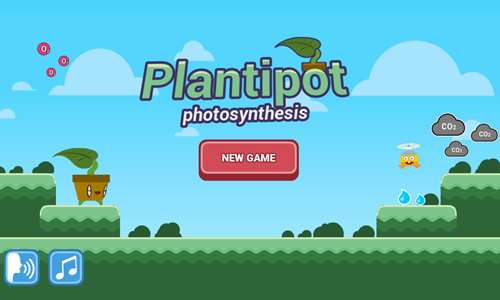
Plantipot Photosynthesis is an explainer game which covers how photosynthesis works.
- Press the red and white NEW GAME button to start a new game.
- Play a minigame where you control a plant that runs to the right. Hit the spacebar to jump. Collect enough sunlight and carbon dioxide (CO2) to feed the plant the energy needed for photosynthesis.
- Next the plant grows roots to collect water and nutrients from the soil. Use the arrow keys to move the roots left or right as needed to collect minerals and collect water. Avoid running the roots into the rocks. Roots can cross over each other in search of water. Each time you touch water you control the next root.
- At this point the game zooms in on a leaf to show chloroplasts. Tap the spacebar to open up a chloroplast for water or carbon dioxide, but close it to prevent other items from entering.
- When sunlight hits the chloroplast sugar and oxygen are given off.
- Photosynthesis helps regulate Earth's atmosphere and oceans.
Elico Food Webs
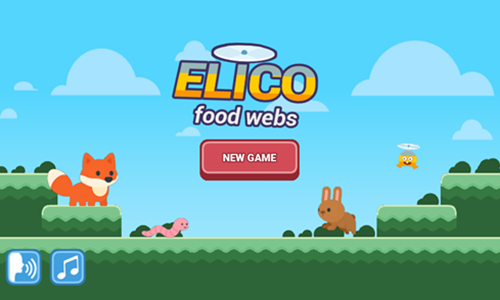
Elico Food Webs is an explainer game which describes how plants and animals on Earth get their energy.
- Tap the red and white NEW GAME button on the welcome screen to start.
- Drag sunlight and water onto plants to help them grow into producers at the beginning of the food chain.
- After watering plants the gaime explains how food chains work. Grass takes energy from the sun to grow through photosynthesis, rabbits eat the grass, foxes are predators which eat rabbits, and worms along with other decomposers break down dead bodies to recycle materials back into the soil.
- Play through a minigame where the rabbit is used as an example herbivore, eating grass and automatically runs right, with you hitting the spacebar to jump. Boost your score by collecting as many stars as you can and stomping on red jelly-like enemies.
- Next, you play a similar minigame as a carnivore, where you control the fox who eats rabbits along the path.
- Finally, you play as a worm. Press the spacebar to jump up to help recycle materials from the dead animals.
- After the platformer section of the game you are shown food webs consisting of producers, consumers and decomposers. You then play a sorting minigame.
- When the sorting game is completed a parallel food chain is shown for ocean life. It includes plankton, zooplankton, herring, seals, orcas, and bacteria.
- After the sea life food chain is shown you begin a game as zooplankton which eats plankton, a herring which eats plankton, and then a seal which eats herring. This minigame is continuous and was inspired by the mechanics of Flappy Bird.
DocDuck Earth, Sun, and Moon
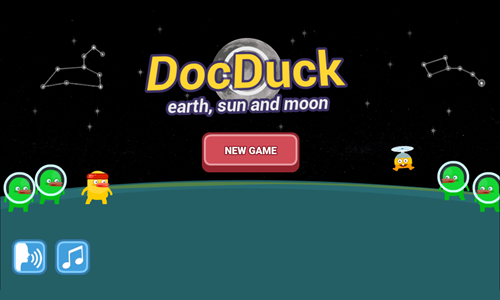
DocDuck Earth, Sun, and Moon is an explainer game which teaches children the Earth's place in the cosmos.
- The game starts with Elico taking DocDuck on a hill to watch the stars move around the night sky.
- Players are shown Polaris, or the north star, which has been used as a navigational aid throughout history.
- Next players see constellations and light them up by tapping at the correct times.
- The sun rises in the East and sets in the West, with shadow lengths changing throughout the day. Players take a picture each hour and then see how shadow lengths differ throughout the day on a graph.
- Players then see how the Earth spins on its access to create the perception the sun is moving.
- The game cleverly includes a space treadmill where DocDuck can jump over asteroids and collect stars. The treadmill simulates the spinning of Earth for 24 hours in a day, along with the revolution of the Earth around the sun for 365 days to show changes in the seasons and complete a year.
- Finally the game covers our natural satellite, the moon. Collect the blue moons while running on the space treadmill to take pictures of the phases of the moon as the moon completes both a 27-day orbit and a 29.5-day phase cycle.
DocDuck Universe and Stars
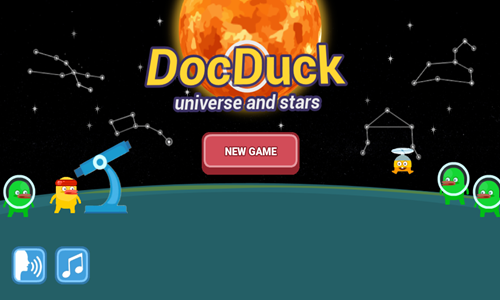
DocDuck Universe and Stars is an explainer game which teaches children the Sun's place in the cosmos.
- The game starts with a cartoon explaining how Elico wanted to enlist DocDuck to help him understand the impact of the bright Sun on the scorching hot summer day.
- DocDuck explains the brightness of the Sun and the heat it gives off is due to the close proximity to Earth.
- DocDuck has Elico move the Sun further away from Earth and closer to see the impact of its movement on perceived size and brightness.
- Next DocDuck goes to his spaceship and hooks up the Sun to pull the Sun far away from Earth, beyond the edge of the solar system.
- Left click to jump (like Flappy Bird) and collect as many of the stars as you can for 25 points each while avoiding running into the rocks which will cost you 50 points each.
- After showing the impact of moving the Sun around Elico states "the Sun may be special to us, but in the vast universe, it's just one of billions of stars."
- Next they go back to Earth and explain how constellations are made up from patterns created by distant stars.
- Players drag the closest & brightest stars, medium distance stars, and farthest & dimmest stars into position on constellations like the Little Dipper and Leo the lion, and observe them through a virtual telescope.
- After putting the stars in positions Elico moves around the constellation and you have to tap when he is over each star to activate it. Correctly timed taps earn 25 points while incorrect ones cost 50 points.
More Environmental Games
Build Land
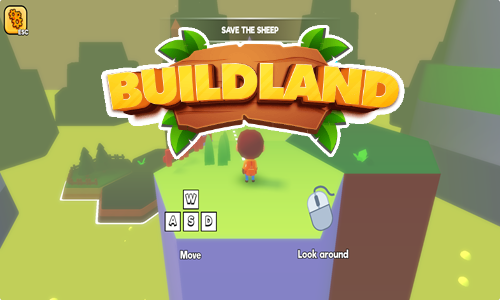
Build Land is a roll playing and exploration game where players unlock new lands by collecting resources and processing them.
- The game automatically drops new players into active gameplay.
- Use the WASD keys or the arrow keys to move around the playing field.
- Press the mouse left click button then move the mouse to change the screen orientation.
- Press the Escape key to gain control of the mouse pointer again.
- Some parts of the game give specific goals, like save the sheep, while other parts require exploration or trial and error.
- Some items require pressing the F key to pick them up, while other items can be collected by standing next to them.
- If you have the correct tools and they are sufficiently leveld up you will automatically harvest stone and wood by standing next to rocks or trees.
- Some resources can be processed into other resources by inserting them in machines.
- The game includes some minigames like jetski racing. As you advance through the game you can press H, Z, or P to unlock visiting your home, changing your skin, or altering which pets accompany you on your journey.
- Step on white colored squares to spend resources to build new lands.
- If the game gets stuck you can tap the browser refresh button to reload it.
Idle Zoo
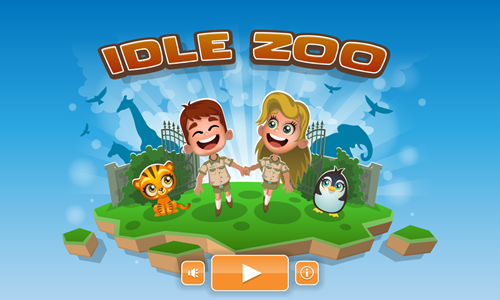
Idle Zoo is a simple clicker game where players bring 6 zoos to life one click at a time, highlighting many species which we share the planet with.
- Tap in the center area of the zoo to actively earn additional income.
- Animal displays and the central administrative building show green arrows when you have enough income saved to unlock new displays, upgrade displays, or upgrade the entire zoo.
- The administrative building allows you to upgrade many aspects of the zoo operation including: animal feed, zoo advertising, park safety, employee training, veterinary skills, bus size, bus frequency, food stands, and cash register system.
- As you upgrade the zoo you increase both your passive and active income levels.
- Each animal exhibit can be upgraded a total of 100 times. The aesthetic design changes after upgrades 1, 10, 25, and 100.
- Tap on the lucky wheel button in the upper left corner to activate a click bonus which lasts for 5 minutes.
- Tap on the money bubbles above the food and drink stands to collect the income they have generated.
- When a zoo has been completely restored (or at least mostly restored) and you have earned enough income you can play the next zoo by unlocking the next enclosure.
- Upgrades purchased in one zoo do not carry over to the next zoo, though each new zoo has another animal enclosure type in it.
Heatwave Antarctica
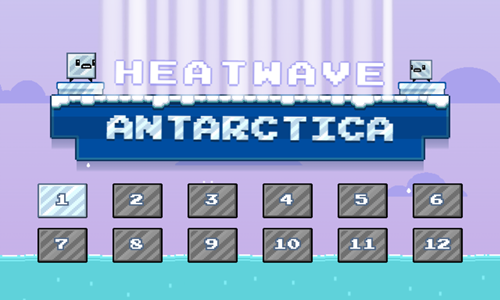
Heatwave Antarctica is a 12-stage environmental awareness platforming game where players control a melting ice cube.
- Move left by pressing the left arrow key or the W key.
- Move right by pressing the right arrow key or the D key.
- Jump or swim upward by pressing the W key or the up arrow key.
- Minimize your time in the sunlight to prevent excessive melting. Water protects you from harmful sun rays.
- The ice cube can be shrunk by melting it in sunlight, or split in half by pressing down while in midair. Press the spacebar to switch between ice cubes after splitting in half.
- Keep your ice health of each ice cube above 25% and make it to the platform at the end of each stage.
- On some levels you will need to push ice blocks or concrete blocks to activate buttons, create platforms to jump off of, or otherwise create a path to the end of the stage.
- Press the R key if you make a mistake and want to play the stage again.
Aqua Shift
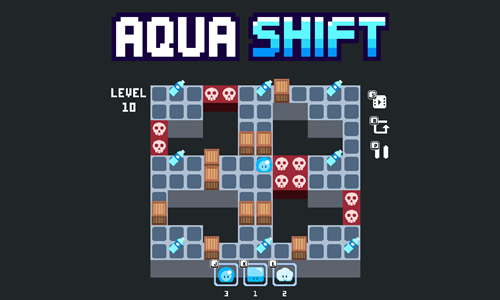
Aqua Shift is a 10-stage Sokoban game themed after the water cycle.
- Press NEW GAME on the welcome screen to start a new game, or CONTINUE to resume a prior game.
- Move the water (in any state) around the playing field using the arrow keys on your keyboard.
- Each level is considered beat after you have collected all of the water bottles.
- You initally start off as a water droplet, but later also have ice and vapor forms available.
- You must be in water form to collect water bottles.
- You can only push one crate at a time, and must be in ice form to push crates. Press K to turn into ice, then when you are done press J to turn back into water. When you are in ice form you can pass through water bottles but can not collect them and can not push crates through them.
- If you make a mistake and reset the current level but can not change states you should instead reload the browser window and continue your game to ensure you get the phase change credit back.
- Starting on level 8 there are poisonous squares. You must press the L key to turn into a cloud and float over them, then turn back into water to collect the water bottles.
Submerged Escape
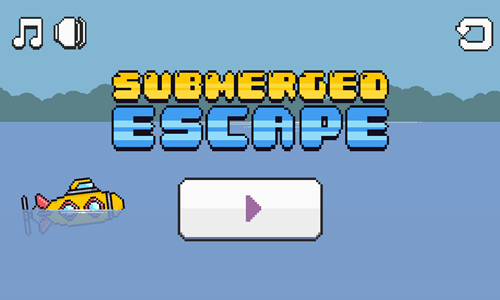
Submerged Escape is asimple submarine navigation game.
- Press the play button in the bottom center of the welcome screen to bring up the level select screen.
- Move left by pressing either the A key or the left arrow key.
- Move right by pressing either the D key or the right arrow key.
- The submarine automatically sinks on its own. To provide ballast and ascend you must press the W key or the up arrow key. Press and hold to rapidly ascend. Tap periodically to ascend more slowly or maintain balast.
- Avoid running into cave walls, mines, spikes, or fish.
- Make it to the green gem at the end of each stage to advance to the next level.
- Play through all 10 stages.

Recycling Games
Sort and recycle goods to minimize waste headed toward landfills.
Sort The Trash
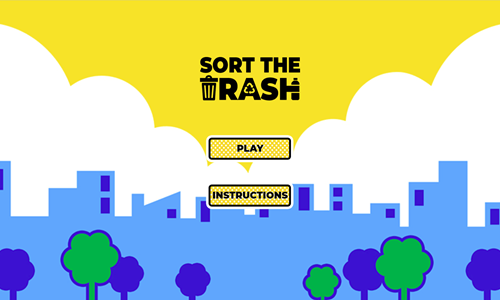
Sort The Trash is a recycling game where players move the recycling bin across the screen to collect recyclables while avoiding other garbage.
- Drag the bin side to side to collect recycleables including bottles, cartons, and cans.
- Drag from side to side to avoid collecting batteries, straws, plastic bags, and compost items like apples, eggs, bananas, or used paper coffee cups.
- Avoid missing recycleables with your bin or else you will get a strike.
- Similarly, if you collect a non-recyclable items you get a strike.
- When you get 3 strikes it is game over.
- As you advance through the game the items fall faster.
- See how many recyclables you can collect before losing.
Twin The Bin
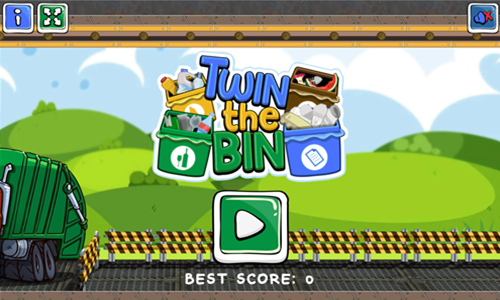
Twin The Bin is a recycling game where players move the recycling bin across the screen to collect a specific type of recyclable.
- Select to play as a boy or a girl character.
- At the start of each round you are given instructions on what to collect. On each round you are instructed to collect plastic, glass, paper, or organic goods.
- Garbage moves across the top of the screen on a conveyer belt, where 4 slides periodically push some of the garbage off platform so it falls below.
- Move the bin from side to side while collecting the specific type of recyclable.
- Avoid getting other objects in your recycling bin.
- Every 45 seconds or so you get another wave, which has you collect a different type of garbage for recycling.
- Each item you correctly collect is worth 20 points.
- When you collect an item from the wrong category you lose 10 points.
- Games last 3 minutes.

Green Energy Games
Manage resources efficiently and develop sustainable energy solutions.
World Of Resources
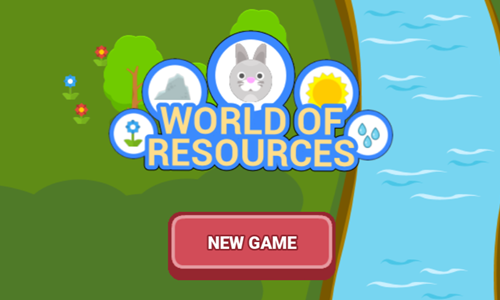
World Of Resources is an educational game which explores natural and man-made resources.
- Tap the NEW GAME button on the welcome screen.
- Follow along with virtual teacher Suzanne as she guides you through various types of resources including natural and man-made resources.
- Click after each discussion bubble to read the next.
- Engage in mini-games embedded in the discussion including classification of natural vs man made resources, and placing animals in their natural habitats.
- Build food chains by providing water to grass, helping rabbits locate the grass to eat it, and help them find water to drink. Next help wolves locate the rabbits and drinking water.
Wind and Solar

Wind and Solar is a sustainable energy game where players adjust the placements of windmills and solar panels to maximize energy production.
- Once you start the game it offers a chance to play through a tutorial stage if you wish.
- Look at the wind lines on the screen and move the blades on the windmill up or down to catch the wind. If you are catching the wind the windmill blades will spin & if you are not they will stop.
- Look at the clouds in the sky and their movement and move the solar cells left or right as needed to maximize sun exposure while minimizing the time spent under clouds. There are green and orange indicators at the bottom of the solar panel which indicate if you are capturing direct sunlight.
- It helps to move either feature quickly and then focus on the other rather than repeatedly going back and forth between wind and solar with small adjustments again and again.
- The upper left corner of the game has a timer which starts at 1:30.
- Next to the timer there is a total energy meter and a scale with houses which shows how much energy you created.
- The game has a pause button in the upper right corner.
Electric Car Test Drive
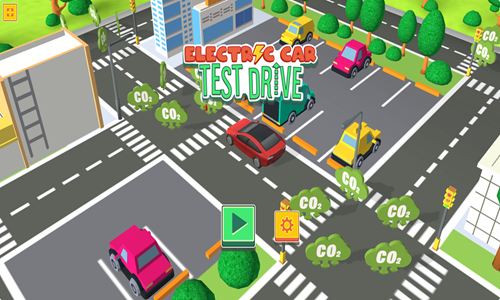
Electric Car Test Drive is a simple driving game which promotes environmentally friendly driving.
- Use the arrow keys to steer.
- Turn left and right as needed to make it around corners.
- Run over as many CO2 icons as you can.
- Each icon you collect is worth 10 points.
- Score as many points as you can before running out of time.
- Can you drive smooth enough to collect all the CO2 before the timer runs out?

Lumberjack Games
Maintain timberlands and process wood into finished goods.
Bob And Chainsaw
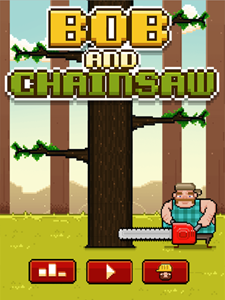
Bob and Chainsaw is an endless lumberjack game where you chop down a tree until you either bump your head or run out of time.
- Tap or use your mouse left click button on the left side of the screen to chop down a portion of the tree while standing on the left side.
- Tap or use your mouse left click button on the right side of the screen to chop down a portion of the tree while standing on the right side.
- Alternate your side of the tree to avoid having a branch hit your head.
- Click or tap rapidly and repeatedly on long stretches of tree where there are no branches or all branches are on the other side of the tree.
- Play slower when approaching a branch on your side, and on portions of the tree where you need to move back and forth switching sides.
- Use the meter at the top center to see how much time you have remaining.
- Each time you make a valid cut you restore a bit of time to the meter, however the timer depletes faster and you restore less time per cut as you move up the tree.
- You start the game off as Bob. Unlock Carl by making 200 cuts in a single play or 2,000 total cuts. Unlock Tom by making 300 cuts in a single play, or 3,000 total cuts.
Tap Tap Trees

Tap Tap Trees is a simple clicker game themed after building a high-income forest.
- Tap anywhere on the game welcome screen to start the game.
- Hit the spawn button to spawn a tree.
- Click on the tree repeatedly to chop it down.
- Spawn new trees in open spots.
- Use your income to unlock additional tree spots in the 9x5 grid of 45 cells.
- Income can also be spent to make the spawn button faster, increase click damage, increase auto-spawn chance, improve double tree chance, boost extra click chance, increase gold reward, boost critical hit chance, and increase critical damage.
- Periodically treasure chests appear, which can be broken open to earn a big chunk of change.
- As you advance through the game the cost of creating additional land squares and purchasing higher level upgrades increases geometrically.
Lumberjack Master
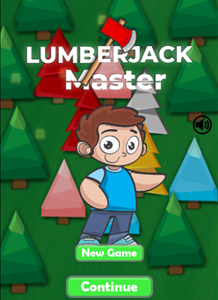
Lumberjack Master is a forestry game where you play as a kid who converts wood into currency.
You chop down various types of trees and then new trees grow again in the same fields.
- Chop down trees.
- Collect the wood from the trees.
- Turn the wood in to earn income.
- Use the income earned to purchase a better axe or chainsaw, increase your wood carrying capacity, boost your speed, and unlock additional forests with more valuable woods.
- Repeat the process until you have maxed out all of your attributes.
Timber Guy
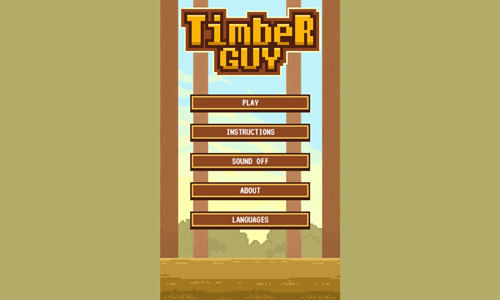
Timber Guy is a simple lumberjack game.
- Select from 4 different character skins.
- Play with your mouse or the arrow keys on your keyboard.
- Left click on the left side of the screen to chop down a slice of the tree from the left side, and left click on the right side of the screen to chop from the right side.
- Press the left arrow key to chop the tree from the left side. Press the right arrow key to chop the tree from the right side.
- Each chunk of tree you cut is worth a point.
- Avoid letting a branch hit your head.
- Chop quickly to keep your power meter close to full. The game ends when either the power meter runs out or you get hit in the head by a branch.
Idle Forest
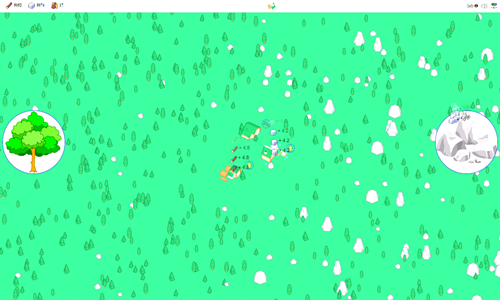
Idle Forest is a resource extraction game where you act as both a miner and lumberjack.
- Repeatedly click on the tree icon to harvest wood.
- Repeatedly click on the rock icon to mine for stone and periodically collect bonus coins.
- Use your resources to upgrade your tools and build additional buildings to automate the extraction and processing of resources.
- Each time you upgrade your tooling you will be able to harvest wood, stone, or both faster.
- Eat spinach to increase your strenght.
- Upgrade the lumberjack and the stone cutter building to increase your automated resource processing capacity.
- Each time your buildings are upgraded you will earn additional resources faster.
Lumberjack Challenge
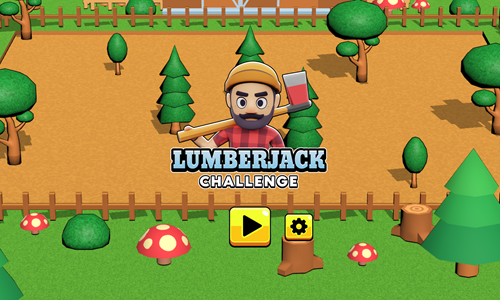
Lumberjack Challenge is a tree chopping game where you have a minute to collect as much wood as you can.
- Press the yellow PLAY button at the bottom of the welcome screen to start.
- Move the lumberjack around the screen using either the mouse (with a click and drag) or the arrow keys. The arrow keys offer more granular control.
- Stand near a tree to chop it down. You must remain stationary for the lumberjack to chop.
- Collect caffeine rich soft drinks to power up so you can move quicker and chop down wood faster.
- While you are in the caffeinated state you can stand in between trees so that as soon as you are done chopping down one tree the lumberjack automatically starts to chop down the next.
- Collect up to 3 units of timber from each tree you chop down.
- Play until you run out of time.
Karate Chop Kick
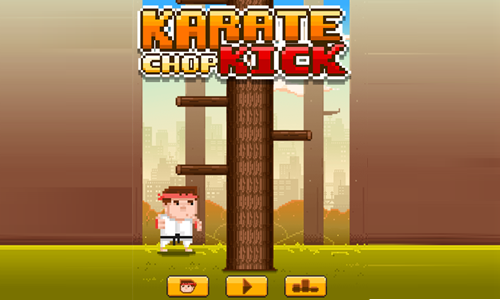
Karate Chop Kick is a simple lumberjack themed game infused with a bit of karate.
- Press the play button in the bottom center of the welcome screen to start the game.
- To the left of the start button is a character select button where you can choose between 3 different characters, where 2 get unlocked based on your score. Chuck is unlocked at a high-score of 200, or cumulative 2,000 chops. Sam is unlocked at a high-score of 300, or 3,000 cumulative chops.
- The right of the start button shows your three best scores.
- Tap your mouse left click button on the left side of the screen to chop at the left side of the tree.
- Tap your mouse left click button on the right side of the screen to chop at the right side of the tree.
- Cut at the tree rapidly to keep your health filled. Your health status bar is shown top center.
- Switch sides you are chopping on as needed to prevent getting hit in the head by a falling tree branch directly above you.
Muay Thai Training
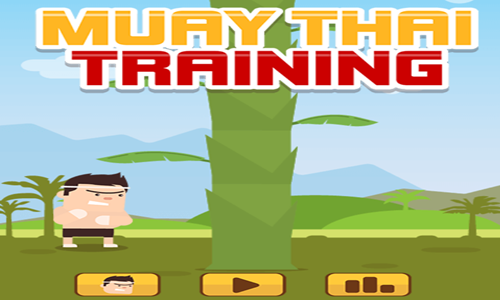
Muay Thai Training is a variation on the classic lumberjack game, where you instead chop down bamboo.
- Press the yellow button at the bottom center of the welcome screen to start the game.
- The lower left corner of the welcome screen has a button to switch between characters. You can unlock two additional characters based on
- The lower right corner of the welcome screen has a stats button.
- Tap on the left side of the screen to chop the bamboo from the left.
- Tap on the right side of the screen to chop the bamboo from the right.
- Switch sides as needed to avoid getting hit in the head with a leaf.
- Chop quickly to keep your health meter charged.
- The game ends when your health meter reaches zero or you get hit by a leaf.
Best Lumberjack
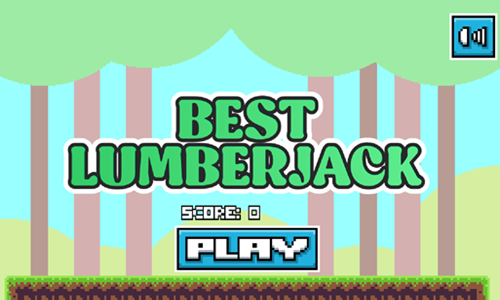
Best Lumberjack is a simple tree cutting game.
- Press the blue and white PLAY button at the bottom of the welcome screen to start.
- Tap the screen with a finger or use your mouse left click button to chop wood.
- Switch sides as needed so that you do not have a branch hit your head when you cut away the log beneath it.
- Chop quickly in rapid succession to maximize your score for each log you destroy.
- Score up to 15 points for each chop.
- Play until you make an error and get hit in the head by a branch.
- Play again and see if you can beat your old high score, or challenge a friend to see how well they can do.
Timber Man
Timber Man is a simple tree chopping game.
- Press the maroon and white start button at the bottom of the screen to begin play.
- Tap the screen with a finger or use your mouse left click button to chop wood.
- Switch sides as needed so that you do not have a branch hit your head when you cut away the log beneath it.
- You can chop on the side with a branch parallel to you, but if a branch above you falls into parallel position it hits your head and it is game over.
- Earn a point for each sucessful cut.
- Play until you make an error and get hit in the head by a branch.
- Play again and see if you can beat your old high score, or challenge a friend to see how well they can do.
Lumberjack Evolution
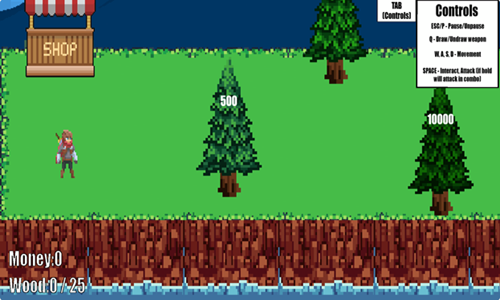
Lumberjack Evolution is a simple lumberjack sim game.
- The game loads into active play.
- Use the WASD keys or the arrow keys to move the lumberjack around the forest.
- Press the Q key to draw or undraw your weapon.
- Tap and hold the spacebar to chop down an adjacent tree.
- After filling up your wood carrying capacity or grabbing a lot of wood go to the shop.
- Press the spacebar to enter the shop.
- Inside the shop you can sell the wood. The money earned can then be used to buy upgrades to your chopping force, attack speed, efficiency, and wood carrying capacity.
- As you advance through the game you can move right to chop more valuable trees.
Wood Turning
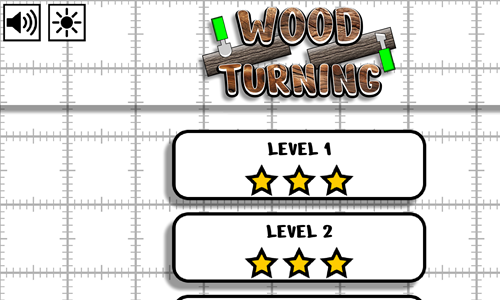
Wood Turning is a lathe operation game.
- Select a level from the welcome screen to start playing.
- Levels are unlocked sequentially with the welcome screen showing your rating on each beat stage.
- You can go back to previously beat stages to try to earn a higher rating on them.
- Choose a blade end from the right and then use your mouse to drag it across the wood to shape to the red dashed line.
- Repeatedly switch blades as often as needed.
- Shape the wood quickly and efficiently to earn a high star rating on each stage.
- Play through all 30 levels featuring unique wood shaping patterns.

Resource Management Games
Mine the natural environment for valuable resources & combine resources to create other resources.
Merge Civilization
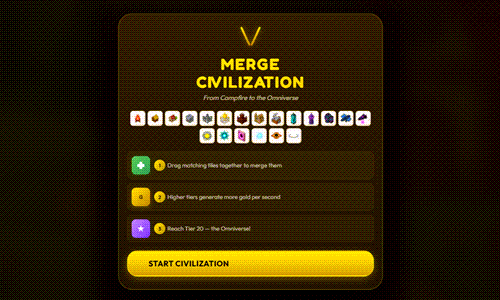
Merge Civilization is a tile merging game where players merge aspects of a society to create more technologically advanced items.
- Press the START CIVILIZATION game on the welcome screen to start the game.
- Left click on a tile to select it and drag it onto an identical tile to merge them into a more valuable and higher earning tile.
- Periodically new tiles appear in the 6x6 grid of 36 cells. You can also purchase tiles. At the bottom center of the screen there are 3 buttons for spawning the next tile, power spawning higher valued tiles, and clearing the low tiles for 30, 300, and 150 currency.
- The right rail has buttons for purchasing specific tile types, earning 50,000 free gold, and enabling temporary power ups.
- When you reach level 20 you beat the game. You can continue play after beating it.
- If tiles get stuck on the screen in the wrong locations you can refresh the browser window and reload the game with the stuck tiles cleared.
- The following 2 tables detail the tile information and power ups.
Tile Details
| Tile |
Rank |
Cost |
Earnings (GPS) |
| Campfire |
1 |
50 |
0.2 |
| Hut |
2 |
100 |
0.5 |
| Village |
3 |
675 |
1.5 |
| Town |
4 |
3.2 thousand |
4 |
| Castle |
5 |
12.5 thousand |
10 |
| Kingdom |
6 |
45 thousand |
25 |
| Empire |
7 |
147 thousand |
60 |
| Renaissance |
8 |
384 thousand |
120 |
| Industrial |
9 |
1 million |
250 |
| Metropolis |
10 |
2.5 million |
500 |
| Megacity |
11 |
6 million |
1,000 |
| Cyberpunk |
12 |
14.4 million |
2,000 |
| Space Colony |
13 |
33.8 million |
4,000 |
| Star Empire |
14 |
78.4 million |
8,000 |
| Dyson Sphere |
15 |
180 million |
16,000 |
| Galactic Hub |
16 |
409.6 million |
32,000 |
| Dimension Gate |
17 |
924.8 million |
64,000 |
| Quantum Realm |
18 |
2.1 billion |
128,000 |
| Singularity |
19 |
4.6 billion |
256,000 |
| Omniverse |
20 |
10.2 billion |
512,000 |
Spell Details
| Power Up |
Cost |
Description |
| Time Warp |
|
All GPS *7 for 30 seconds. |
| Merge Bomb |
|
Auto-merge all matching lowest-tier pairs. |
| Golden Age |
|
All tiles increase GPS for 90 seconds by a multiple of your current experience level (e.g. 20 for top experience level). |
| Civ Boost |
|
Upgrade all campfire and hut tiles to village tiles. |
| Auto Merge |
|
Auto-merge one pair of tiles every 3 seconds for 60 seconds (20 total automated merges). |
| Lucky Spawn |
|
Span a random tile ranked between hut and town. |
| Merge Frenzy |
|
Auto-merge 5 matching pairs rapidly. |
Piggy Quest
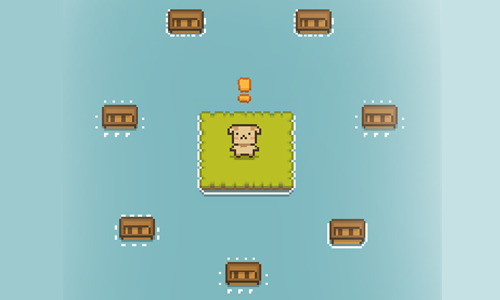
Piggy Quest is a simple resource management game where you play as a pig moving around an interactive world.
- Press anywhere on the loading screen to start the game.
- Grab berries from the bushes.
- Collect water from the well to be able to wet bushes, seeds, and trees to regrow resources.
- Your inventory of goods shows along the upper right rail of the game. Walk near bridge outlines to place resources near bridge positions to unlock the bridges and travel to adjacent islands.
- Collect the ax, pick ax, and the hoe to enable lumberjack, rock collecting, and farming. Your tools and seed collection are shown along the bottom of the screen.
- Your energy meter is shown at the top of the screen. Go to the house to sleep and restore energy whenever your energy is low.
- Collect 7 piglets scattered around the world. Your inventory of piglets is shown in the upper left.
- Bring resources to the area on the right to send the piglets off on boats to their homes.
- Gather resources to unlock your path to the eighth and final boat to make it back home and complete the game.
Alchemy Legend
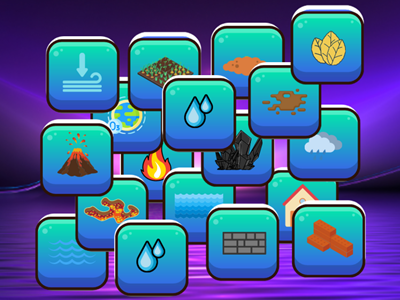
Alchemy Legend is a card merging game where players merge the elements to create other things.
- Select 2 cards to merge to create something else.
- Merge identical entities or different entities.
- Keep merging new combinations together until you have uncovered all the different merging options.
- Play in new mode to see all the exposed cards at once in miniature, or play in classic mode to view a subset of fewer but larger cards at a time.
- Clear duplicate or unneeded cards from the playing field in classic mode using the recycle bin in the lower right corner.
- Some merges are genuine inputs to create something else, whreas others are building complex words by combining two simple words.
- In some cases you merge backward to create something rather than forward (e.g. lava plus Earth creates a volcano).
Idle Mining Empire
Idle Mining Empire is an idle clicker game where players build mining shafts and create a mining business.
- Build your first mining shaft.
- Select the miner to activate mining, then select the mineshaft operator to bring the mineshaft operator down, then select the ground worker to collect the minerals for processing and warehouse storage.
- Upgrade your mine, mineshaft, and warehouse to improve your processing and throughput capacity.
- Whenever any shaft is upgraded to stage 25 you get a second worker which doubles your production.
- You gain more workers as you increase to higher levels like 50 and 100.
- Hire managers to oversee workers and automate your production.
- Purchase additional shafts to reach more valuable minerals.
- Upgrade managers and have them lean into workers to increase the worker speed.
- Keep reinvesting your earnings to upgrade your earning potential and expand your operation.
Bob The Miner
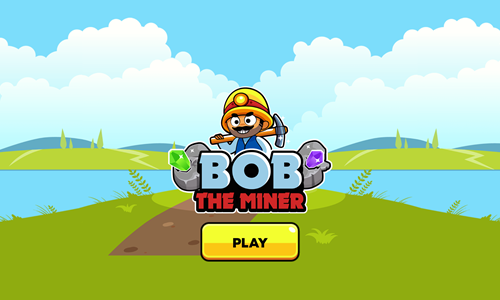
Bob The Miner is a simple gem mining game.
- Press the yellow and black PLAY button on the welcome screen.
- Use the mouse or arrow keys to move around the land.
- Stand next to gems to mine and collect them.
- When you have sufficient gems in inventory go to a box at the edge of the island with that gem shown and deposit the gems to build a bridge to the next island.
- Cross the bridge to the next island. Deposit gems in refineries to earn coins to unlock other islands.
- Repeat the above steps as needed to unlock all the islands.
- Exit at the final barn after the purple gems to comlete the game.
Miner Tap
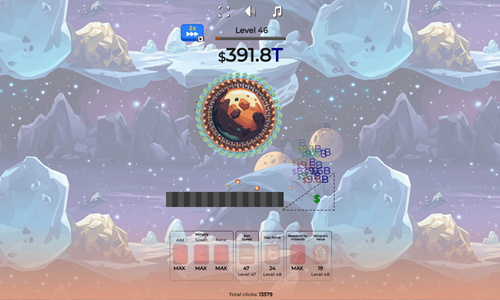
Miner Tap is an idle clicker game where players tap on the Earth to extract resources and earn income.
- After earning sufficient income you can hire a miner to automate workflow.
- Players can upgrade the number of miners, the force they use, and the speed they work.
- Other attributes can also be upgraded including researching new minerals, increasing mineral value, increasing your click force, and making the belt move faster.
- After upgrading through many levels players generate enough income to build a rocket to Mars.
- Players can take the rocket to Mars and play the same sequence again.
- On Mars everything is more expensive than Earth, but you also earn more income from mining activities. You start from scratch on Mars needing to unlock the first miner and do all the upgrades again.
Dig Dig Clicker

Dig Dig Clicker is an idle clicker game where players tap on a representitive isometric square of Earth to dig it.
- Press the yellow and white play button on the welcome screen to start the game.
- Click on the square in the middle of the screen to actively generate income. You will earn coins for each square mined, and some squares have bonus diamonds in them.
- Tap on the coin in the upper right to open the upgrades menu.
- Use the coins you have earned from mining to upgrade mining speed, mining power, mining income, add miners, and increase miner speed. Each feature can be upgraded a total of 8 times.
- Press the diamond icon in the right to open up the diamond spending menu. Inside this menu you can use diamonds to generate automated clicks, convert diamonds into additional gold, or unlock the next new mine.
- When you unlock another mine the ground color changes from the first to second mine, but you keep your attributes and no other aspect of the game other than ground color changes. The game has a total of 5 mines: volcanic, canyon, oceanic, arctic, and Mars.
- The top center of the screen has a power meter. If you click rapidly you can mine with greater power to earn money faster.
- The upper left corner of the game shows your current coin savings and saved diamonds. Underneath these indicators there will periodically appear bonus options to increase mining power, auto mine, get free gold, get free diamonds, or similar. The timed bonus features last for 30 seconds after you click to enable them, whereas the bonus diamonds or gold are given immediately.
- Your mining depth is shown in the lower right corner. Nothing actually changes in terms of gameplay as you dig deeper into Earth.
The Gold Miner
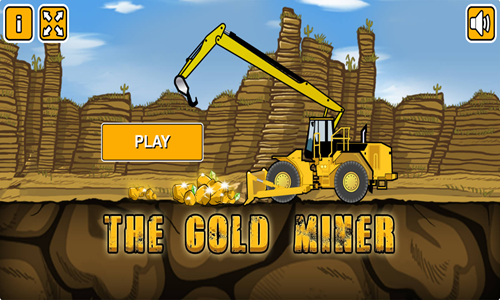
The Gold Miner is a tap timing mining game.
- Press the yellow and white Play button on the welcome screen to start the game.
- Left click to drill down and try to extract gold and gems.
- Avoid hitting the dynamite, or you lose some of your income.
- Your game score is the sum of your daily scores.
- As you advance through the days your hook moves back and forth at a faster speed.
- Reach the cumulative income goal before the timer runs out to advance to the next stage.
- Keep playing until you fail to reach a level goal then the game ends.
Digger Bob
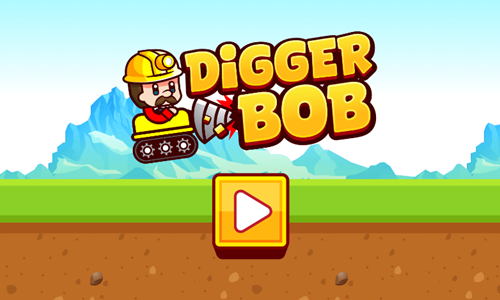
Digger Bob is a simple cartoon mining game for kids, where you control a miner and guide him to find all the gems hidden underground.
- Press the yellow and white play button on the welcome screen to start the game.
- Move Bob around the screen using the WASD keys, the arrow keys, or by left clicking and dragging your mouse across the screen.
- Dig a path to each of the gems hidden below.
- When your fuel is low go back to the gas station to refuel.
- Reuse your travel paths as much as you can to minimize your fuel needs, as you only burn a lot of fuel when digging new tunnels.
- Extract all of the gems as quickly as you can.
Diamonds Digger
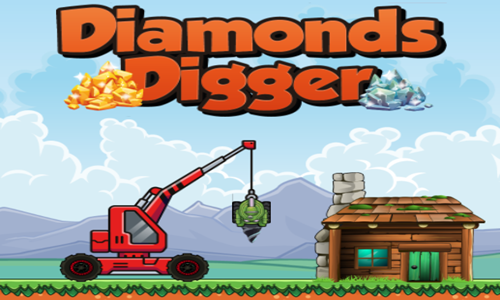
Diamonds Digger is a resource extraction game where you dig down through the sand trying to collect as many gems as you can while avoiding the rocks.
- Your drill bit automatically moves down.
- Move left or right as needed to avoid rocks.
- Each time you hit a rock you lose a hit point. Run out of health and it is game over.
- Collect as many gems as you can. Gems are instantly converted into saved income.
- Use income earned from playing to buy stronger drill bits which allow you to dig deeper.
- In addition to the free default drill bit, the game also offers 5 paid drill bits ranging from 400 to 3,000 diamonds in cost.

Space Games
Red Outpost
Red Outpost is a Mars colinization game.
- Choose to play a game using any of the 3 save slots.
- Hire astranauts from Earth to colonize the red planet. They start off cheap, but grow progressively more expensive as you advance through the game.
- Have the astronauts harvest food and mine valuable goods. You can send up to 10 astranauts to each area, though you have to purchase the ability to send each additional one & have to manually direct them to their destination until you purchase the artificial intellegence system.
- Martian Farms are unlocked when you start the game. Martian Generator costs 50 to unlock, Martian Mines cost 1,000 to unlock, Marian Ruins cost 1,800 to unlock, Martian Lab costs 3,600 to unlock.
- Upgrade your colony features to increase your production.
- When you have 50 astranauts in your colony and 10 are assigned to each area the game is complete. The game tracks how long it took you to get to 100% complete.
| Upgrade |
Cost |
Description |
| Farm Route |
160 |
Build a better path leading to the farm. |
| Burger Tree |
300 |
Improved food quality. |
| Solar Route |
320 |
Build a better path leading to the solar generator. |
| Solar Extended |
450 |
Improve solar energy collected. |
| Exploration Discount |
600 |
Reduce building price by 25%. |
| Mine Route |
830 |
Buld a better path leading to the mines. |
| Deep Mines |
850 |
Mine deeper for better resources. |
| Ruins Route |
1,400 |
Build a better path leading to the ruins.. |
| Ruins Expert |
1,500 |
Upgrade ruins leading quality. |
| Boot Camp |
1,500 |
Speed up astranaut by 20% |
| Lab Route |
2,400 |
Build a better path leading to the lab. |
| Mad Scientist |
2,800 |
Upgrade lab resources quality. |
| Double Deal |
2,900 |
Upgrade resource gain by 25%. |
| Cheap Cell Plan |
3,200 |
Hire astranaut for 50% less. |
| Triple Deal |
5,000 |
Upgrade resource gain by 50%. |
| Marsnet |
150,000 |
Build an AI to auto manage your colony. |
3 Minutes to Escape
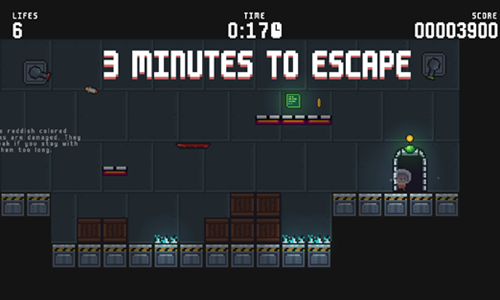
3 Minutes to Escape is a timed room escape game where players have 3 minutes to exit a rocket which is set to self destruct.
- Press the start button to bring up the tutorial. On subsequent plays you can skip it.
- Move around the screen using your keyboard arrow keys.
- Go to the red key pad to unlock the exit door on each stage. You have a total of 3 minutes to complete all 15 stages.
- Collect coins scattered throughout each stage to maximize your game score.
- Move swiftly across red floor tiles, as they temporarily disappear after you step on them.
- In addition to the 3 minute time limit the game gives you a limited number of lives. Getting hit by any of the hazards restarts the current level and eats one of your 20 lives. Avoid getting hit by bullets or guided rockets. Do not step on electrically charged floor panels or run into periodically pulsing lasers.
- Exit through the door to the next rocket chamber. See if you can pass through all 15 chambers before time runs out.
Space Lost
Space Lost is a 20-stage logic puzzle game where players must align items to help an astronaut get through each stage.
- Press any key on the welcome screen to bring up the level select screen.
- Select a level number to play an unlocked stage.
- Left click on an item from the building mode in the lower left and place it in position in the stage.
- When items are in place to allow the astronaut to reach the level exit press the GO button in the lower right corner.
- The astronaut keeps walking in the direction she is facing until she runs into something, then changes directions when she runs into a purple block you place or another fixed platform. Purple blocks disappear after being walked on or ran into.
- Do not let the astronaut run into spikes or lasers. The astronaut may not fall more than 2 squares at a time.
- Ladders must extend through a blue platform you are climbing up or down, and there must be a stationary blue or purple block beneath them.
- Red moving platforms move in the direction you are headed when you step onto them. The astronaut can be knocked off by running the moving platform under a stationary item.
- You can turn off lasers by walking past control panels. Some levels require turning lasers off, while others may require routing around them.
- If you make a mistake in placing an item you can select it to move it again, or tap the level restart button in the upper right corner.
- Many stages have multiple ways to beat them. On most stages you have to use all the building blocks to win, though some have elegant solutions which allow completion with many pieces left over. The final stage can be completed with 8 pieces remaining.
Earth Attack
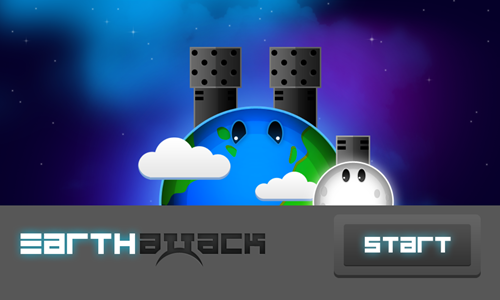
Earth Attack is a planet defense game.
- Press the left and right arrow keys on your keyboard or use your mouse to rotate the direction of the guns on Earth.
- Your cannons automatically fire at incomming asteroids, though you control the aim by changing the rotation direction of the planet. The moon tends to follow along the movements of Earth.
- Each time you defeat an asteroid it will leave behind some number of pink or green gems.
- Pink gems add to your health.
- Green gems allow you to periodically increase your shot power, your planet turn speed, and your maximum health.
- You can not defeat approaching stars. Instead you must have the moon fire upon them to push them away.
- Play through all 10 stages to save the planet.
- Each stage has a floating bubble with a pink heart and a green heart. Pop the bubbles to collect them.
- If you get a perfect score on a stage the planet will turn gold at the end of the level, and the stage select button will appear gold on the level select page.
Pixel Lander
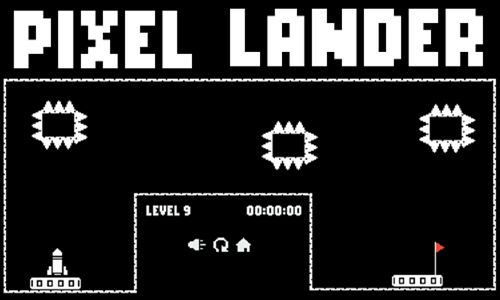
Pixel Lander is a 27-stage rocket flying game.
- Tap anywhere on the game loading screen to bring up the welcome screen.
- Press the play button in the lower center of the welcome screen to start the game.
- Press the W key or the up arrow key to ascend or move forward.
- Press the D key or the right arrow key to turn clockwise.
- Press the A key or the left arrow key to turn counterclockwise.
- Avoid running head first into any of the walls in the course. Do not let any part of the rocket hit spikes, spiked platforms, lava, or moving platforms.
- Land the rocket as quickly as you can on the landing pad without crashing. The level select screen shows your best time on each stage.
- Some stages have zero gravity, making them a bit more forgiving with your navigational approach and allowing more slight bumps.
- Many stages have a locked wall blocking you from the landing pad. Collect the key to unlock them.
Orbital Escape
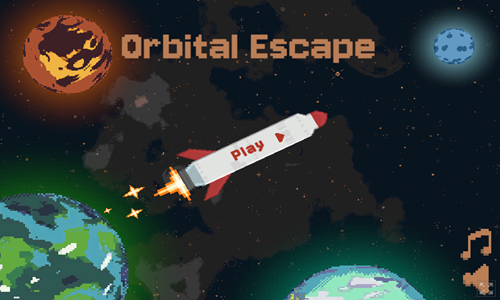
Orbital Escape is a 12-stage rocket launching game.
- Press the rocket PLAY button on the welcome screen to bring up the level select screen.
- Levels are unlocked sequentially.
- Left click on moons or other objects surrounding planets to select them and drag them into position.
- When the satellites are in position tap the spacebar or left click on the button in the lower right to fire the rockets.
- Starting in level 4 satellites may rotate both clockwise and counterclockwise. Green paths are counterclockwise while blue paths are clockwise.
- Starting on level 5 the launch of some rockets may have a delay from when you initiate the sequence. The delay count in seconds is shown near each rocket with a delayed launch.
- Safely get all the rockets to fly through the screen edge without hitting anything to beat each level and advance to the next.
Project Space XL

Project Space XL is a rocket flying survival game.
- Click through the introduction story and tap the ready button to start flying. The rocket automatically accelerates to the top speed and flies straight.
- Turn left by pressing the A key or the left arrow key.
- Turn right by pressing the D key or the right arrow key.
- Slow down by pressing the S key or the down arrow key.
- Speed up by pressing the W key or the up arrow key.
- Pick up cash in space and avoid running into fixed or moving obstacles.
- At the end of each day drag health, shelter, food, or fuel indicators from the upper right to the lower left to improve your resources, then press the ready button to start the next flight.
- Each day the rocket has a higher top speed and their are more obstacles in space. Survive through 14 days to complete the game.
Neon Rocket
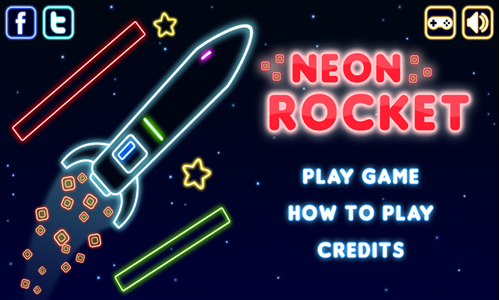
Neon Rocket is an 8-stage rocket flying game.
- Press PLAY GAME on the welcome screen to start the game, or HOW TO PLAY for gameplay instructions.
- Press the left arrow key (or tap on the left side of the screen) to fly up and to the left, which will also rotate the rocket counterclockwise.
- Press the right arrow key (or tap on the right side of the screen) to fly up and to the right, which will also rotate the rocket clockwise.
- Pressing both left and right arrow keys at the same time will cause you to go straight up quickly.
- After leaving the launchpad try to collect all 3 stars and as many coins as you can to maximize your game score.
- Do not run into the level boundaries or any obstacles or the rocket will blow up.
- Safely land the rocket on the landing pad and leave it stationary for a 3 count to beat each stage.
- Play through all 8 stages. You can go back and replay previous levels to improve your star ratings on them.
Neon Invaders
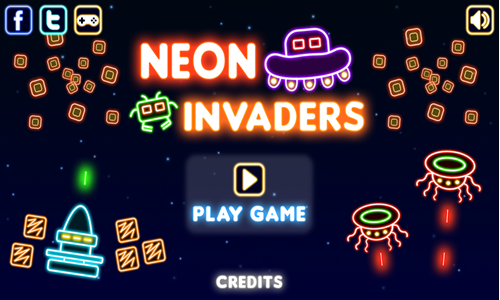
Neon Invaders is a modern remake of the arcade classic game Space Invaders.
- Press PLAY GAME on the welcome screen to start the game. Choose your ship color and the game background color then press the play button in the lower right.
- Use the arrow keys to move left and right to evade enemy fire and align your shots.
- Press the spacebar to shoot.
- You can prevent getting hit by shooting from behind the bases, at least until they are shot through.
- The earliest aliens die on a single hit. Other aliens can take 2 or 3 hits.
- The game has 10 stages. When all aliens are defeated on a stage you move onto the next. Some levels have aliens move back and forth then down a row, whereas other stages keep the aliens relatively stationary on the same level plane.
- The top of the screen shows a power bar. If the power bar reaches zero you lose a life. You also lose a life if you get shot by an alien.
- Shoot the alien mothership which moves quickly across the top to drop heart containers which restore your power bar and can give you extra lives (if you have fewer than 3 in reserve).
Gravity Escape
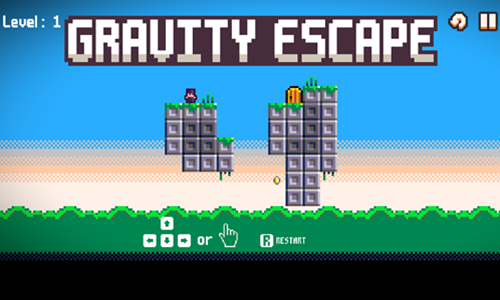
Gravity Escape is a 15-stage slide puzzle game set on a planet where the player controls gravity.
- Press the cream colored button at the bottom center of the welcome screen to bring up the level select screen.
- Select the level you want to play. Levels are unlocked sequentially.
- Use the arrow keys to slide the character around the level.
- The screen wraps, so if you go offscreen left you emerge on the right side of the screen. The same is true with top and bottom.
- Set your slide path so you are able to pick up any coins, then arrive at the door.
- As you advance through the game features are added including switches and boxes.
- When you move the boxes may also move. You can activate switches by touching them directly or having a box touch them. Leaving a box atop a switch can keep the switch in the active state.
Space Kitten
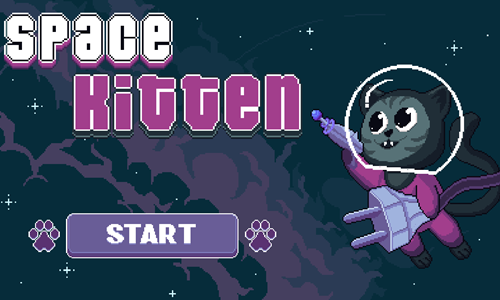
Space Kitten is a 20-stage room escape platform adventure.
- Press the blue and white START button on the welcome screen to bring up the level select screen.
- Select the level you want to play. Levels are unlocked sequentially.
- Move horizontally by pressing the left arrow key and the right arrow key.
- Press the C key to jump.
- Press the Z key to grab an extension cord so you can plug it into a receptical. All cords must be plugged in before exiting the room.
- Press the X key to shoot your laser gun at the red targets to turn them green. All targets must be hit before exiting the room.
- After 10 seconds spikes fall down from the ceiling. Make it to the room exit before the spikes crush the kitten.
- If you get hit by the spikes you start the current level again at the beginning.
Shift Bot
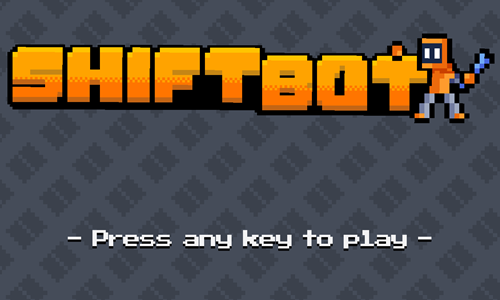
Shift Bot is a 30-stage logic puzzle platformer.
- Tap anywhere on the welcome screen to bring up the level select screen.
- Levels are unlocked sequentially. Select a level number to play an unlocked stage.
- Move the robot around the levels using the WASD keys or the arrow keys on your keyboard.
- Press the J key to fire a shot at a box so you can swap places with it, and move to where you want the box to appear.
- If you make shooting errors you can press the R key to restart the current level with your original ammo.
- Hit the red switch or place a box over a button to open the door. On stage 26 you have to push the slide box onto the button rather than landing a shoot box on it.
- Avoid running into spikes, lasers, bullets, and other robots.
- Safely make it through the door to advance to the next part of the spaceship.
Space Slide
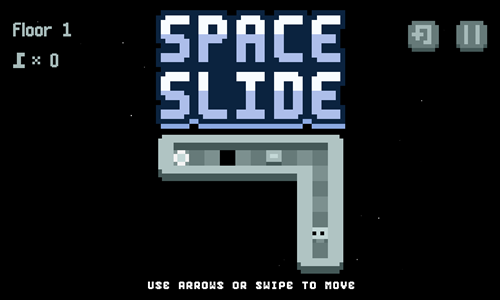
Space Slide is a 60-stage Sokoban-inspired game.
- Press the play button in the lower center of the welcome screen to bring up the level select screen.
- Select a level number to load the stage.
- Use the arrow keys to move the robot around the playing field.
- Push blocks to fill in gaps in the floor. You can only push one block at a time. Initially blocks are only pushed a square at a time, though when you get to level 11 and beyond some blocks have a checkered top and are pushed from edge to edge until they run into a wall or another object.
- Grab keys to unlock gates.
- Avoid running into moving obstacles, getting hit by lasers, or falling through holes in the floor.
- As you progress through the game additional puzzle elements are added, like doors that unlock only when all floor holes are filled in, checkered flags that only allow the slide stone through them, and so on.
- If you make a mistake with a floor panel or get stuck you can press the level restart button in the upper right corner to reload the current stage.
- Make it to the glowing exit portal to advance to the next room.
Two Aliens Adventure Plus
Two Aliens Adventure Plus is a tandem platformer game where players control 2 aliens at the same time.
- Press the A key, the Enter key, left click the mouse on the screen, or touch the screen on the welcome screen to start the first stage.
- If you have played the game before this will bring up the level select screen. All 30 stages are unlocked sequentially. Select the level you wish to play.
- Move both aliens right by pressing the D key or the right arrow key.
- Move both aliens left by pressing the A key or the left arrow key.
- Jump with both aliens by pressing the W key
- You can defeat enemies by jumping on their heads, though you lose a hit point if you run into their sides.
- The green character goes across the top part of the screen while the blue character has reverse gravity and goes along the bottom portion of the screen.
- You lose a level if you run out of health by getting hit 3 times, or if either alien falls off platform and through the other side of the screen. Losing a stage forces you to play it again from the beginning, where you have to collect all the gems again.
- Collect all the gems with each character to get the keys to unlock the gates at the end of each stage and pass through the gates to complete each level.
Alien Adventure
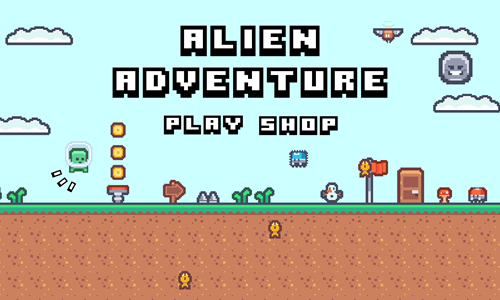
Alien Adventure is a simple 15-stage platformer.
- Press the PLAY button on the welcome screen to bring up the level select screen.
- Tap the level you wish to play. The 15 stages are unlocked sequentially.
- Players can move the alien by pressing the WASD keys or the arrow keys.
- Collect gold coins and blue gems, evade or stomp on enemies, and avoid falling off platform.
- If you fall off platform or run into the side of an enemy you die, and you'll have to play the stage again from the beginning.
- Exit the door to the next stage.
- Coins can be used in the shop on the welcome screen to purchase a double jump feature along with activating a shooting skill. Blue gems can enable players to equip a jetpack.
Back to Bright
Back to Bright is a physics puzzle game featuring stars, clouds, and tornadoes.
- Press the play button in the lower center of the welcome screen to bring up the level select screen.
- Select a level from the level select screen. All 25 stages are unlocked sequentially.
- Tap on white clouds to blow a gust of wind in the direction their smiles face. White clouds do not destruct and can be used repeatedly.
- Tap on gray clouds to break them.
- Tap on pink clouds to let out a small pulse of energy in all directions.
- Tornadoes can pick up pink clouds or the unlit star. Select items inside a tornado to drop them straight down.
- Collect up to 3 star icons by bumping into them with pink clouds or the orange star.
- Push the orange star into the yellow star to make it bright again and advance to the next stage.
Orbitalia
Orbitalia is a clicker rocket launching game.
- Tap the white button in the center of the welcome screen to start the game.
- The rocket rotates clockwise or counterclockwise on each planet.
- Left click at the correct time to launch the rocket from one celestial body to the next.
- Each planet you land on is worth a point.
- Some planets have coins revolving around them.
- Players can buy 5 additional spaceships for $7 to $35 each.
- When additional rockets are unlocked you can repeatedly switch back and forth between them.
Catches Aliens
Catches Aliens is an untimed hidden object game.
- Left click anywhere on the loading screen to bring up the welcome screen.
- Press the play button in the bottom center of the welcome screen to start the first stage.
- This game has 3 levels with 10 aliens hidden on each.
- Aliens can be anywhere: in trees, under furniture, in a crowd, on a poster, in a store, etc.
- Left click on an alien. If you found one the face will turn green.
- Use the scroll wheel to zoom in or out. Left click and drag to pan around the scene.
- Find all 10 aliens to beat a stage and advance to the next. Beat all 3 levels to complete the game.
Astro-Miner
Astro-Miner is a level-based shooting and survival game based in space.
- Press the START MINING button on the welcome screen to start the game.
- Using the keyboard you can use the WASD keys or the arrow keys to move around the playing field.
- Move the mouse to set your aim and left click to fire.
- On mobile devices you touch the left side of the screen to move and the right side of the screen to aim and fire.
- Shoot asteroids and collect crystals they leave behind.
- Avoid collisions with aseroids and collect shields to add extra health.
- Play in endless mode, or play through 40 discrete levels.
- The upgrade shop has 10 extra ships you can purchase for 200 to 420 each. You can upgrade from the standard laser to a spread cannon for 150, a rapid blaster for 200, and a piercing beam for 250. You can also upgrade your laser power, fuel capacity, and shield strength 20 times each, with initial upgrades costing 100 credits.
Space Invader 8Bit
Space Invader 8Bit is a low fidelity shooting game patterned after the arcade classice Space Invaders.
- Press the PLAY button in the lower center of the welcome screen.
- Use the on-screen buttons in the lower left corner or the arrow keys on your keyboard to move around space.
- Tap the spacebar on your keyboard or hit the button in the lower right corner to shoot.
- As you hit aliens they get smaller, then evenually disappear.
- Do not run into any aliens or their shots.
- Some aliens move horizontally across the top of the screen, while other stages contain levels where the aliens keep moving verticlaly down toward you. On stages with vertical movement, if you do not fully defeat an alien then it may get larger again on its next pass through the screen.
- The upper left corner shows how many aliens you are required to defeat to complete the level and how many remain.
- This game features a one-hit death. If you die you can retry the same stage again, as you have infinite lives.
- Play through all 25 stages and beat the game.
Space Zap
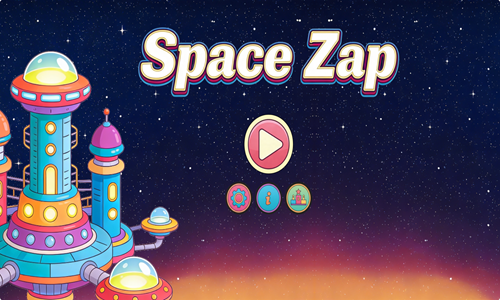
Space Zap is a horizontally scrolling space shooter game.
- Enter a username and then tap on the lower part of the loading screen to bring up the welcome screen.
- Press the play button on the selcome screen to start playing.
- Left click on the ship to move your ship around the screen.
- As long as your ship is in motion you automatically shoot at incoming enemies.
- Score points for each enemy you defeat and take on challenging bosses in boss battles.
- Play for as long as you can and challenge the high score.
Space Portal
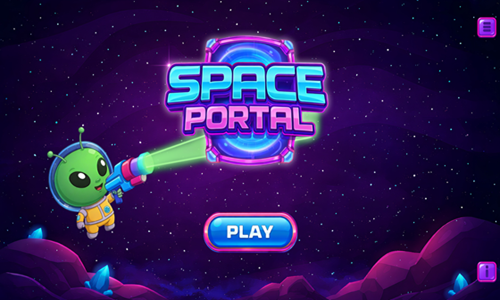
Space Portal is a retro polatformer game where you play as a cute alien.
- Press the white and blue PLAY button in the lower center of the welcome screen to bring up the level select screen.
- All 20 stages are unlocked sequentially.
- Use the WASD keys or the arrow keys to move around the platforms.
- Pick up the gun to enable shots, and press the spacebar shoot at crates to switch places with them. Red crates remain floating in space, though other crates fall to the ground. You can pick up ammo boxes to gain additional shots.
- Push boxes around to use them as temporary platforms, or drop them on switches to deactivate lasers.
- Avoid running into spikes or falling off platform.
- If you make a mistake you can press the R key to reload the current stage.
- Collect all 3 batteries to enable the exit portal, and safely pass through the portal to the next level.
DocDuck Earth, Sun, and Moon
DocDuck Earth, Sun, and Moon is an explainer game which teaches children the Earth's place in the cosmos.
- The game starts with Elico taking DocDuck on a hill to watch the stars move around the night sky.
- Players are shown Polaris, or the north star, which has been used as a navigational aid throughout history.
- Next players see constellations and light them up by tapping at the correct times.
- The sun rises in the East and sets in the West, with shadow lengths changing throughout the day. Players take a picture each hour and then see how shadow lengths differ throughout the day on a graph.
- Players then see how the Earth spins on its access to create the perception the sun is moving.
- The game cleverly includes a space treadmill where DocDuck can jump over asteroids and collect stars. The treadmill simulates the spinning of Earth for 24 hours in a day, along with the revolution of the Earth around the sun for 365 days to show changes in the seasons and complete a year.
- Finally the game covers our natural satellite, the moon. Collect the blue moons while running on the space treadmill to take pictures of the phases of the moon as the moon completes both a 27-day orbit and a 29.5-day phase cycle.
DocDuck Universe and Stars
DocDuck Universe and Stars is an explainer game which teaches children the Sun's place in the cosmos.
- The game starts with a cartoon explaining how Elico wanted to enlist DocDuck to help him understand the impact of the bright Sun on the scorching hot summer day.
- DocDuck explains the brightness of the Sun and the heat it gives off is due to the close proximity to Earth.
- DocDuck has Elico move the Sun further away from Earth and closer to see the impact of its movement on perceived size and brightness.
- Next DocDuck goes to his spaceship and hooks up the Sun to pull the Sun far away from Earth, beyond the edge of the solar system.
- Left click to jump (like Flappy Bird) and collect as many of the stars as you can for 25 points each while avoiding running into the rocks which will cost you 50 points each.
- After showing the impact of moving the Sun around Elico states "the Sun may be special to us, but in the vast universe, it's just one of billions of stars."
- Next they go back to Earth and explain how constellations are made up from patterns created by distant stars.
- Players drag the closest & brightest stars, medium distance stars, and farthest & dimmest stars into position on constellations like the Little Dipper and Leo the lion, and observe them through a virtual telescope.
- After putting the stars in positions Elico moves around the constellation and you have to tap when he is over each star to activate it. Correctly timed taps earn 25 points while incorrect ones cost 50 points.

